Create Contact
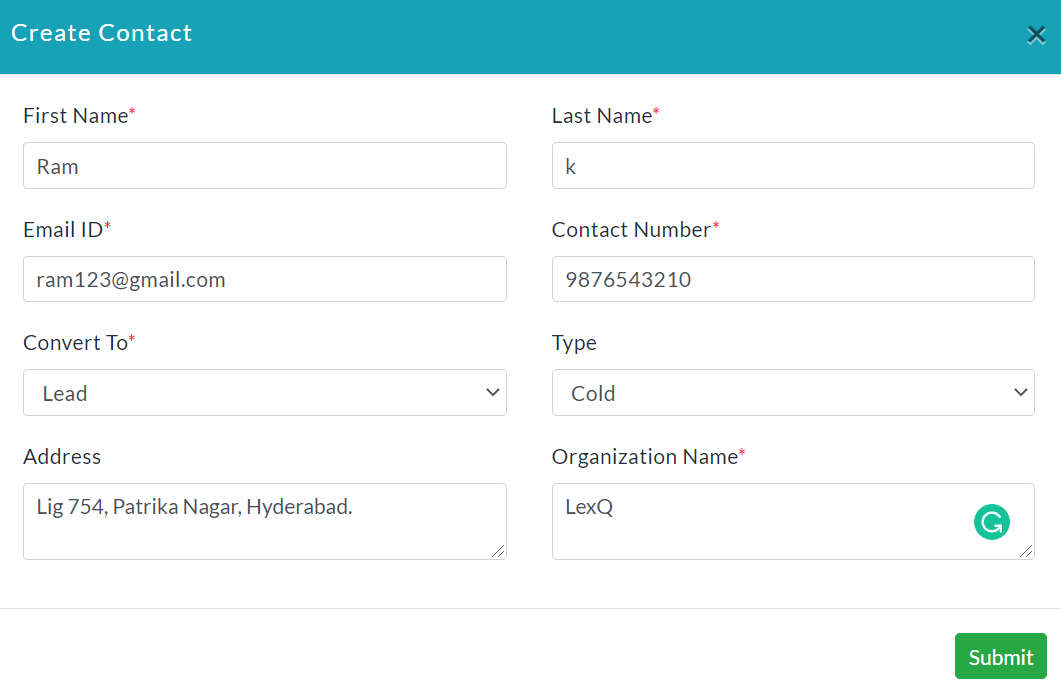
Create Contact:
To Create a New Contact:
- In the CRM dashboard, click on the Create Contact button.
- Create Contact popup will be displayed.
- Enter the details of the contact.
- Click Submit.
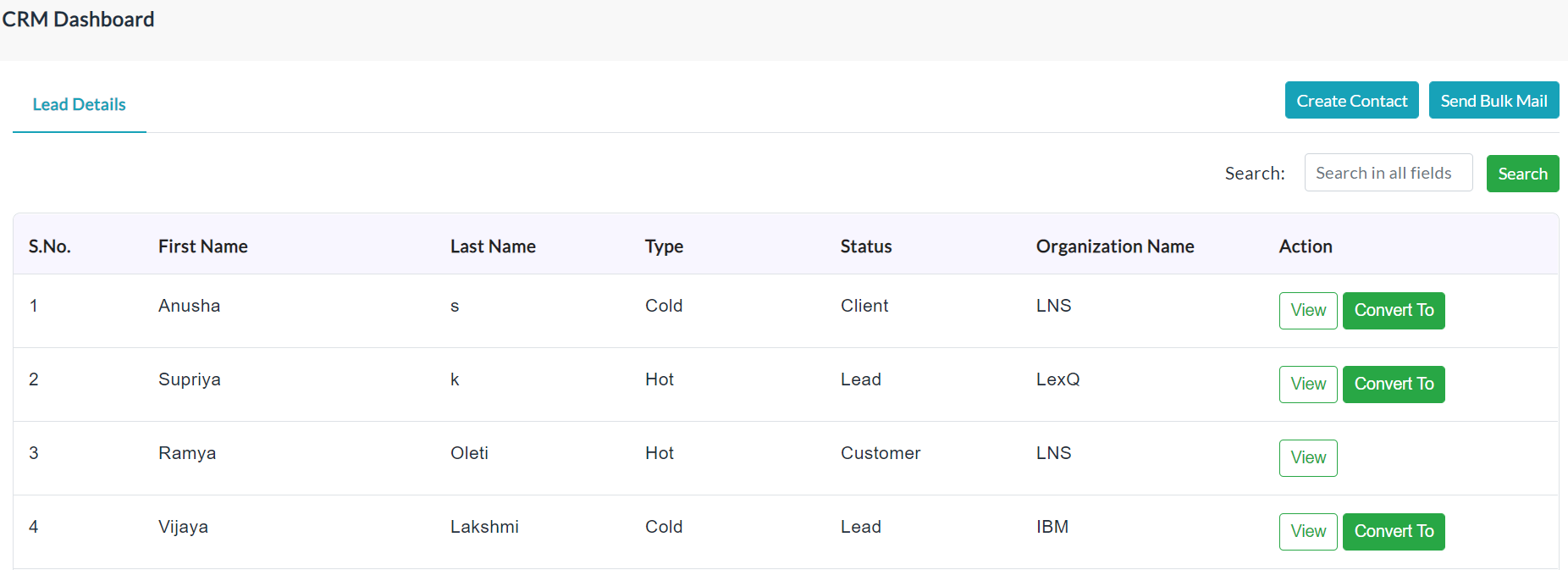
Lead Details List:
A list of created contact details is shown in the following screenshot.
Individual Contact Details:
All the details of the individual contact details by clicking the view button in the contact details list. The individual contact details dashboard is shown in the following screenshot.
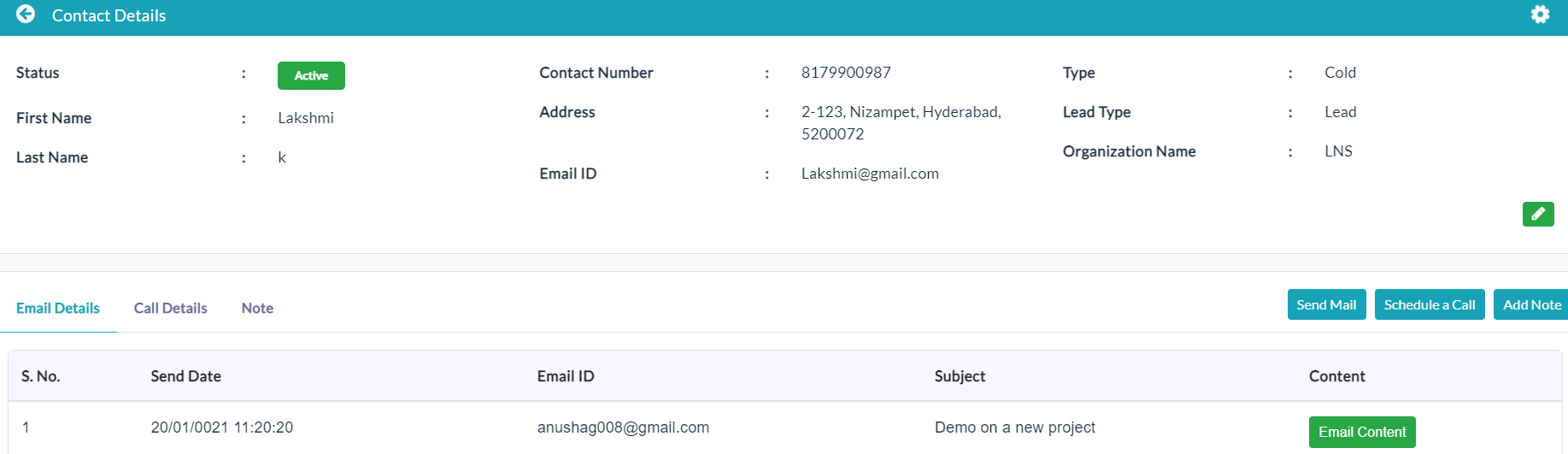
The contact details profile has three tabs. They are Send an Email, Schedule Call, and Add Note.
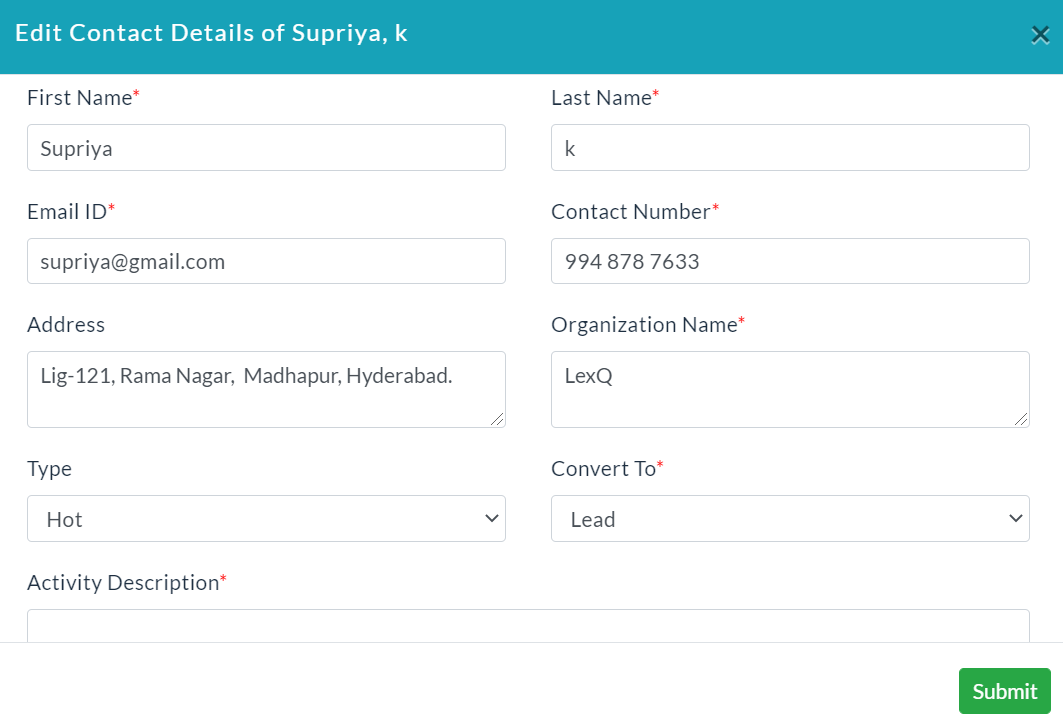
Edit Contact Details:
To edit contact details:
- In the contact details profile, click on the Edit button.
- Edit contact details form will be displayed.
- Make your changes, then click Submit.
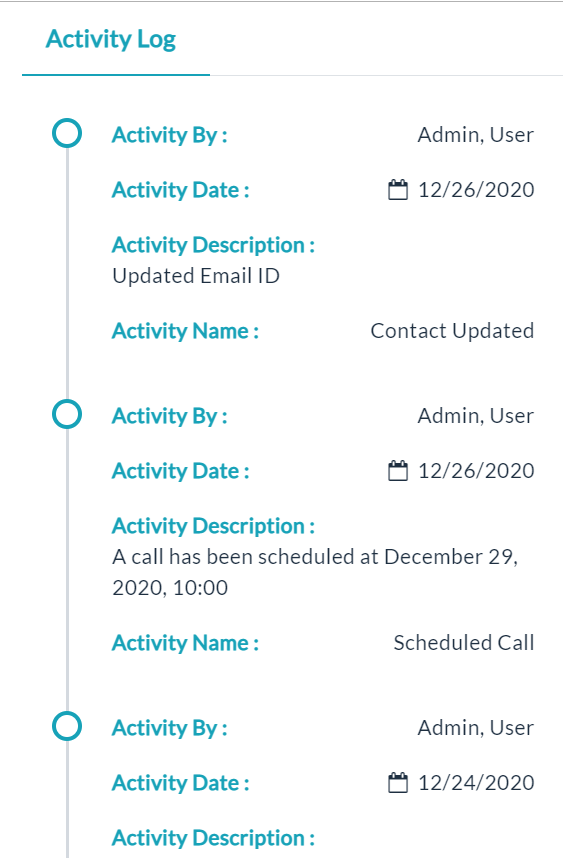
Activity Log:
- Click the View(Gear Icon) option to view details of activity log.
Created with the Personal Edition of HelpNDoc: Easy to use tool to create HTML Help files and Help web sites