Send an Email
Send an Email:
To send an Email:
- Click on the Send an Email button.
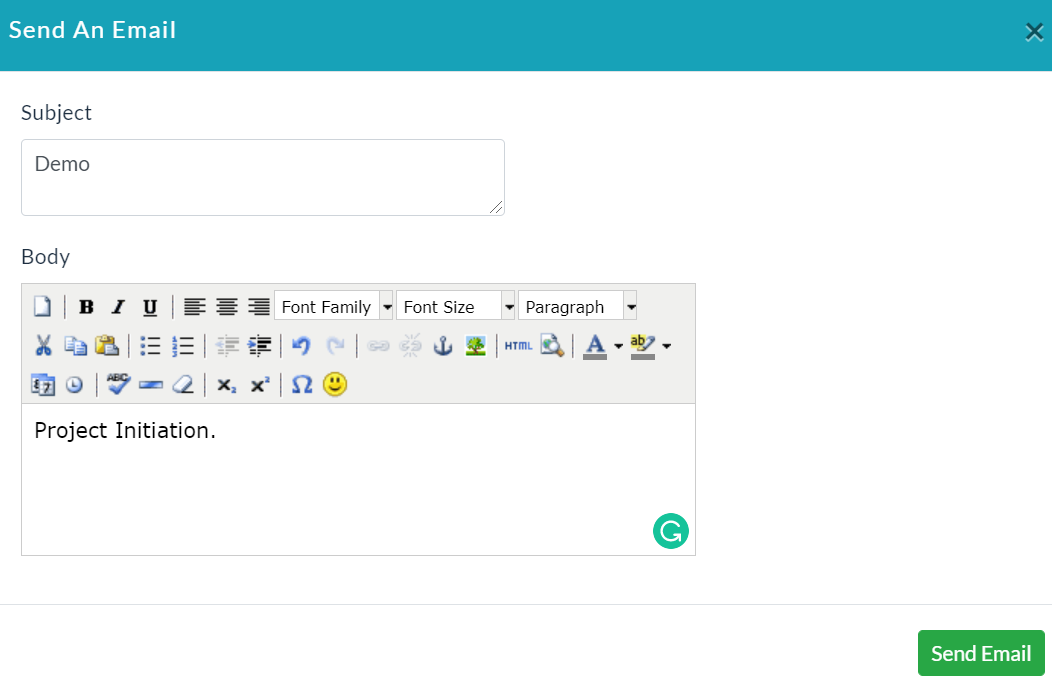
- Send an email form will be displayed.
- Enter the subject and body.
- Click Send Email.
The following screenshot shows the Send an Email form.
On clicking the Email Details tab, it shows email details of the particular contact will be displayed as shown in the below screenshot.

On clicking the Email Content button, you can see the created content of the email.

Created with the Personal Edition of HelpNDoc: iPhone web sites made easy