Request for Quotation
Request for Quotation:
New Request for Quotation:
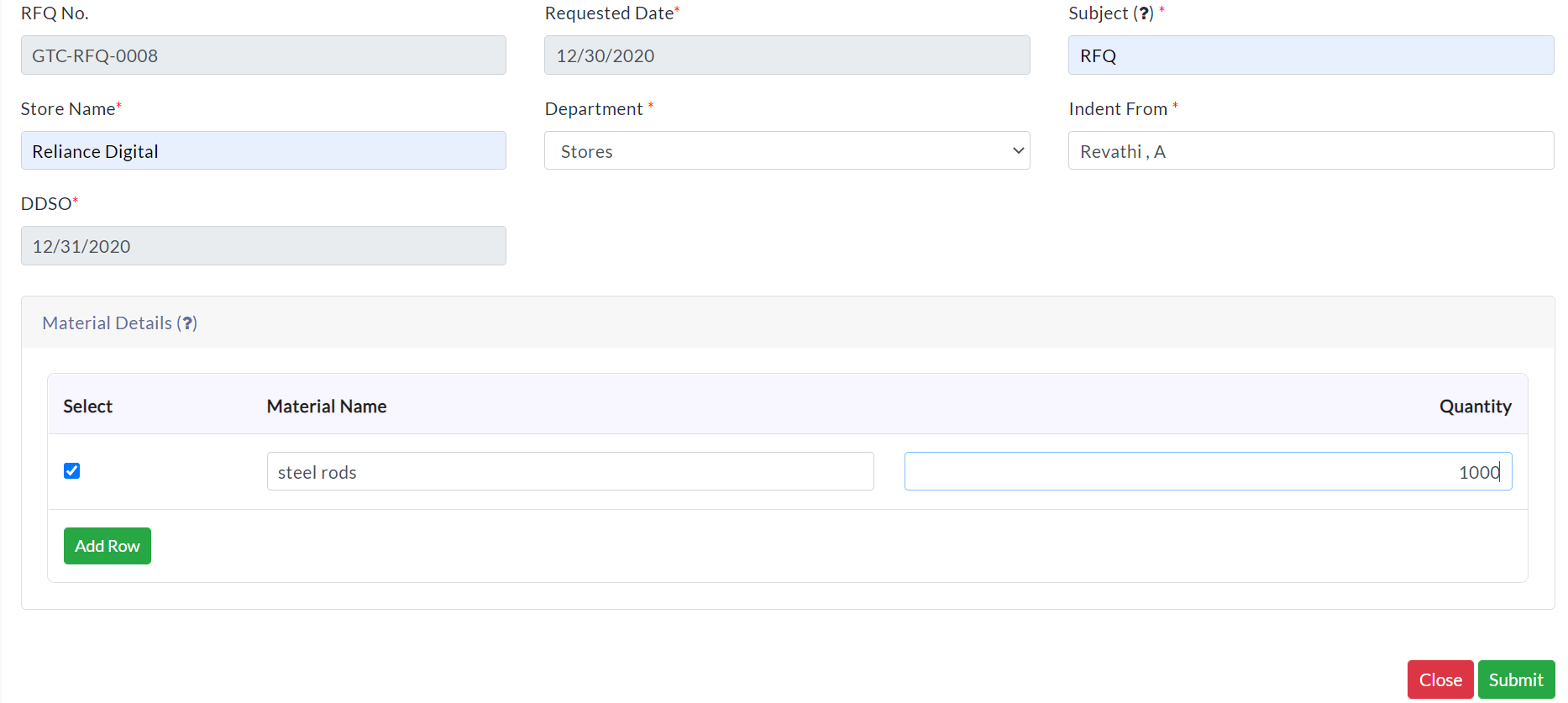
In the Material Management menu, click Request for Quotation Option. For adding request for quotation details follow the below steps.
- Click New Request for Quotation.
- Enter the required details.
- Click Submit.
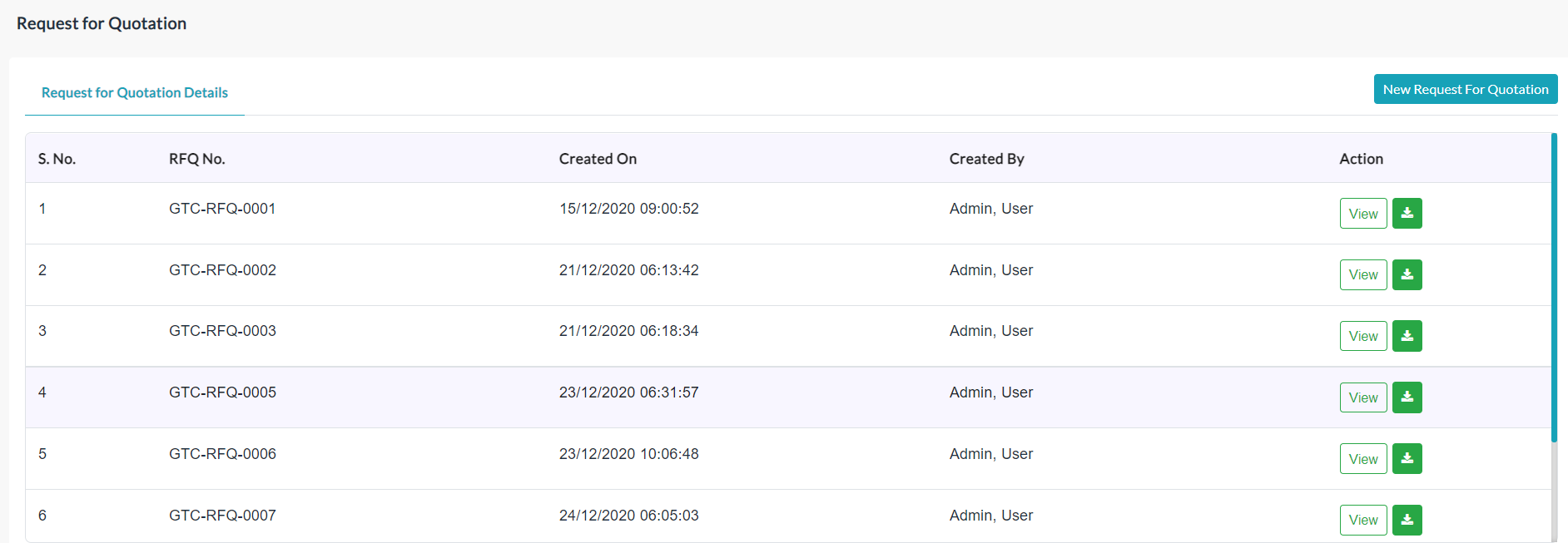
Request for Quotation List:
The list of existing request for quotation details is displayed in the Request for Quotation Details section.
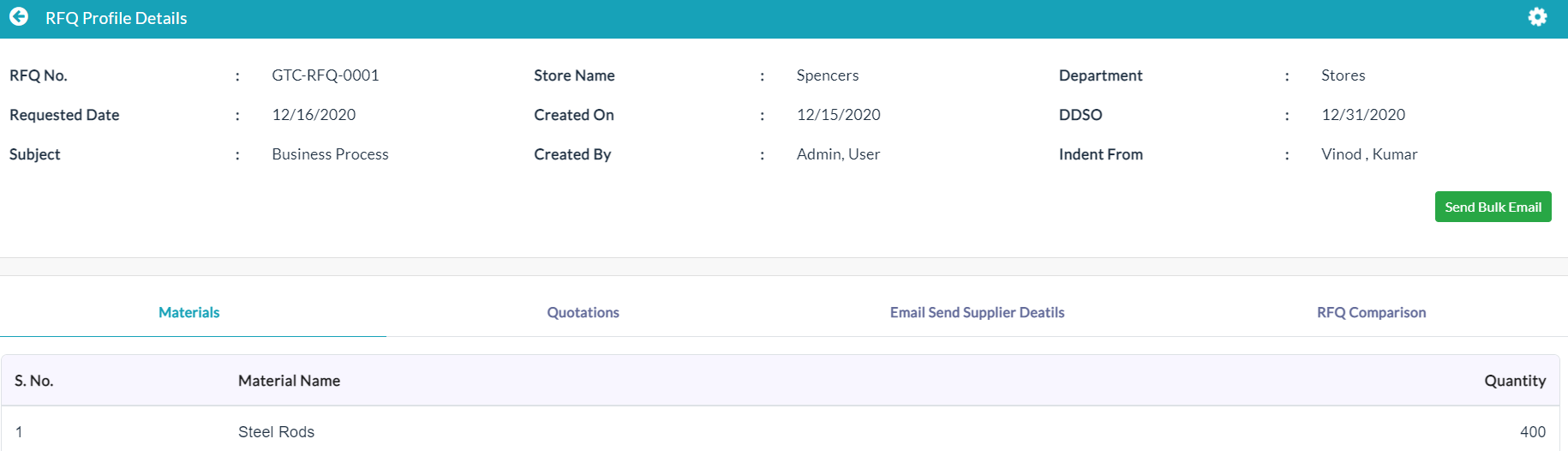
View Request for Quotation Details:
Click the View button in the Action column, individual details of a Request for Quotation are displayed.
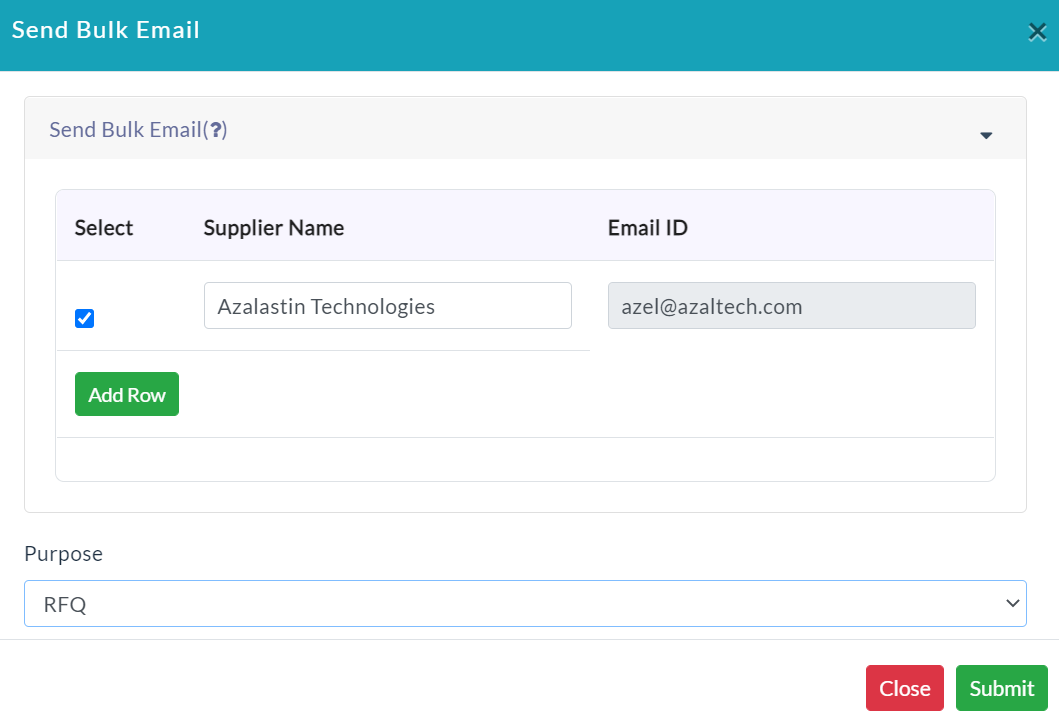
Send Bulk Email:
- Click Send Bulk Email.
- Enter the required data.
- Click Submit.
Materials:
The complete details of the specific store related material details will be displayed.

Quotations:
- Click on Create Quotation.
- Enter the required data.
- Click Submit.
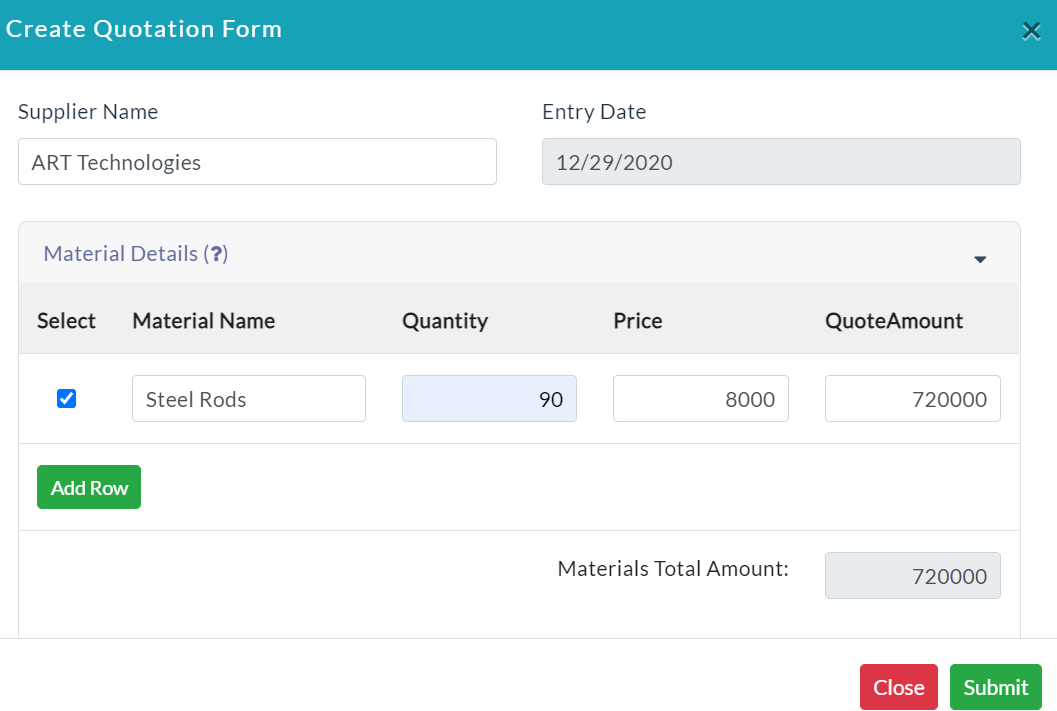
- The list of Quotations details is displayed as shown below screenshot.

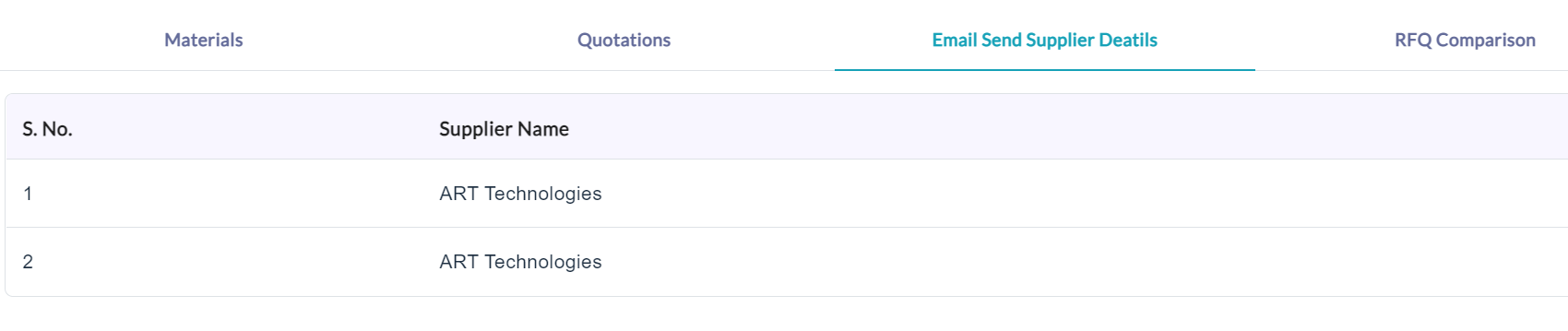
Email Send Supplier Details:
The complete details of the email send supplier details will be displayed.
RFQ Comparison: RFQ Comparison excel sheet download here.

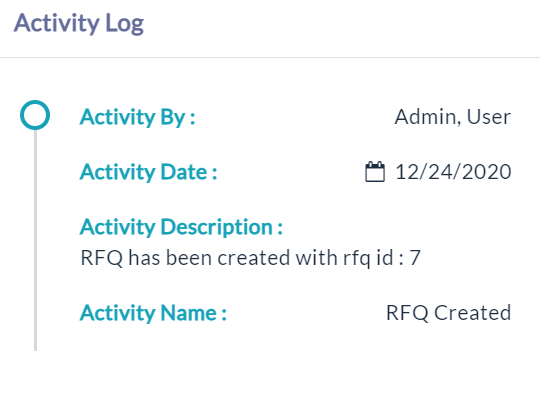
Activity Log:
- Click the View(Gear Icon) option to view details of activity log.
Created with the Personal Edition of HelpNDoc: Free PDF documentation generator