Payroll
Payrolls:
In the HRM menu, click Payrolls.
Status as triggered:
- Click Generate Payroll.
- The popup is displayed. Click OK for the generation of payroll.

- The list of payroll is displayed month-wise when the status is triggered.
- After completion of payroll day which is given while creating company details, status is changed to Draft.
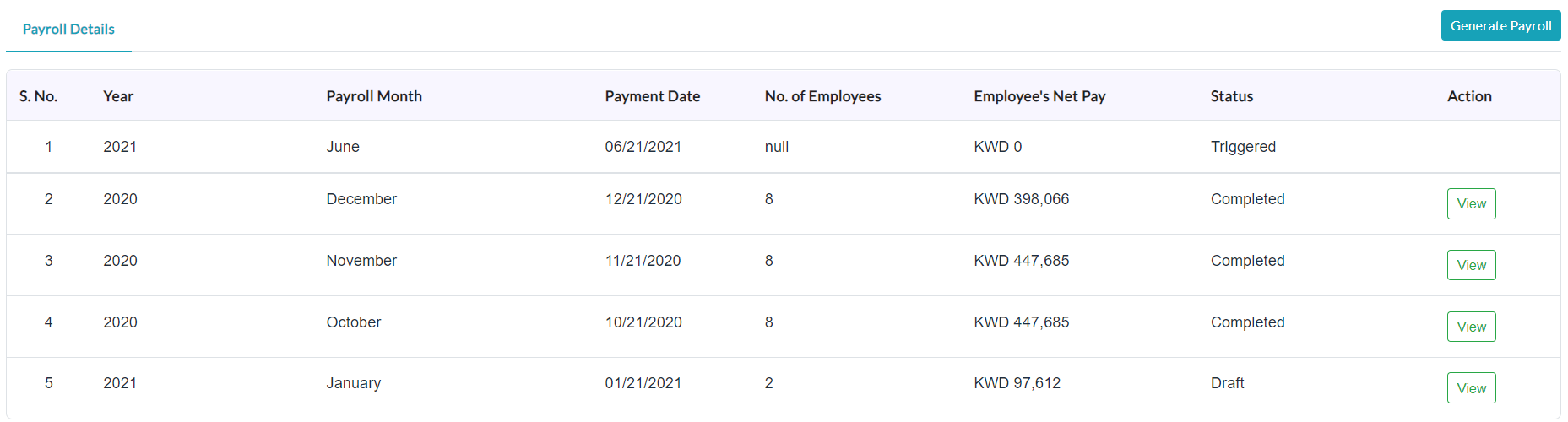
Status as a draft:
a. The list of payroll month-wise is displayed with status as Draft.
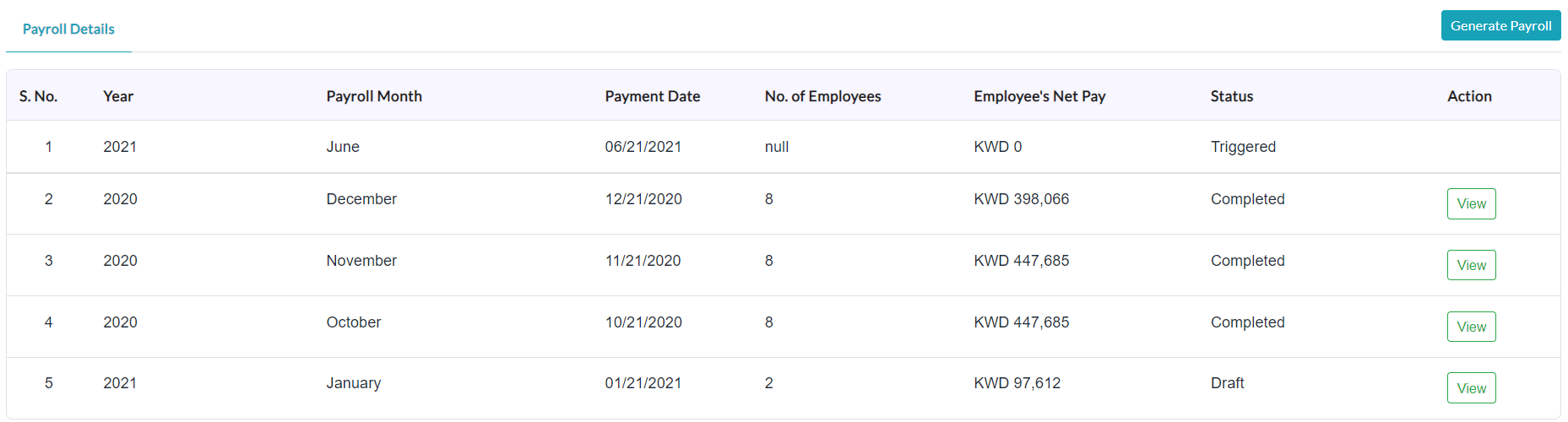
b. In the Action section, click the View (Eye Icon) option.
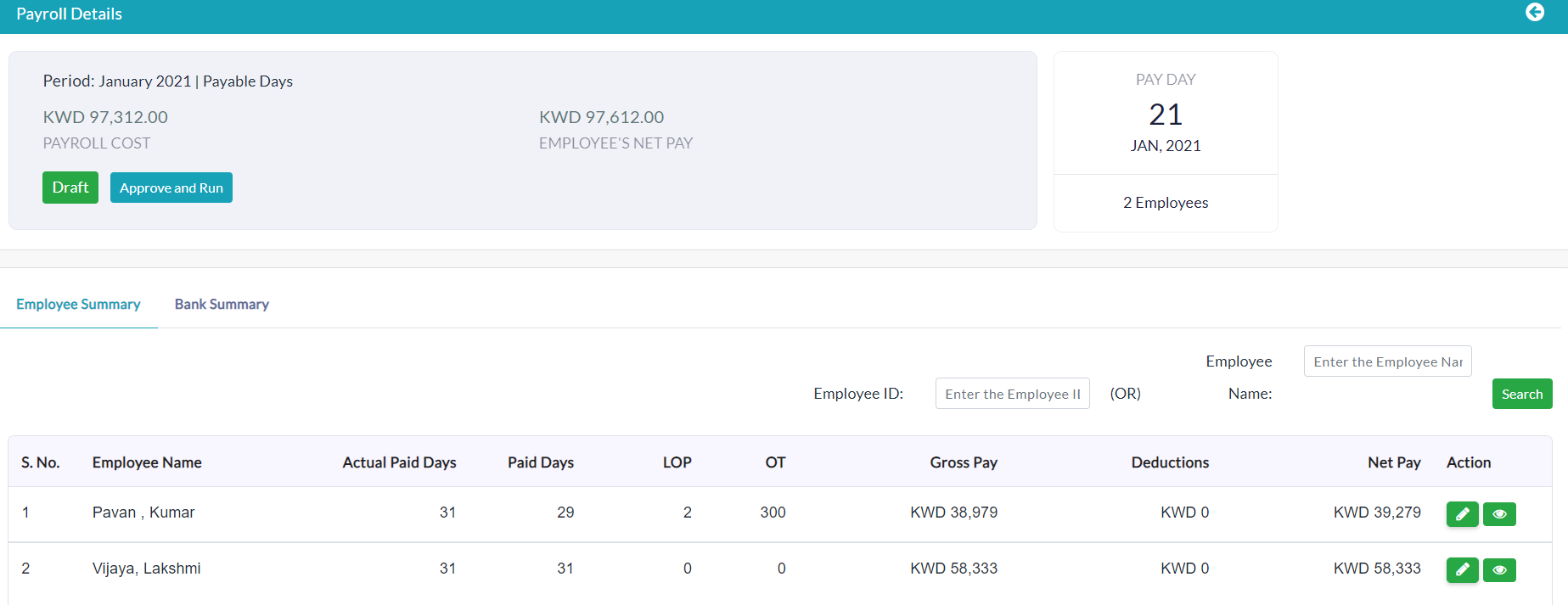
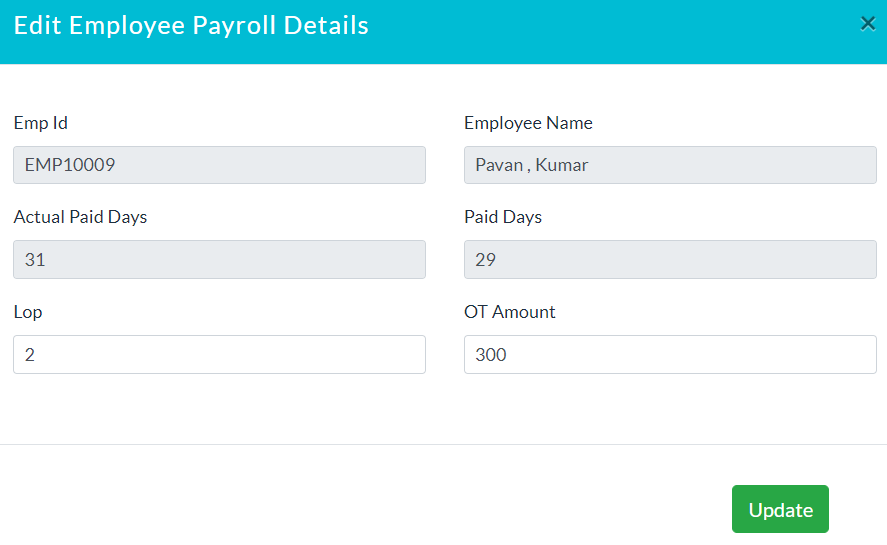
Edit Employee Payroll Details:
a. In the Action section, click Edit (Pencil Icon) option.
b. Enter the details of employee payroll.
c. Click Update.
Add Bank Details:
a. Click Update Payroll Bank Account.
b. Enter details of the bank account.
c. Click Add Row for adding multiple bank accounts.
d. Click Submit.
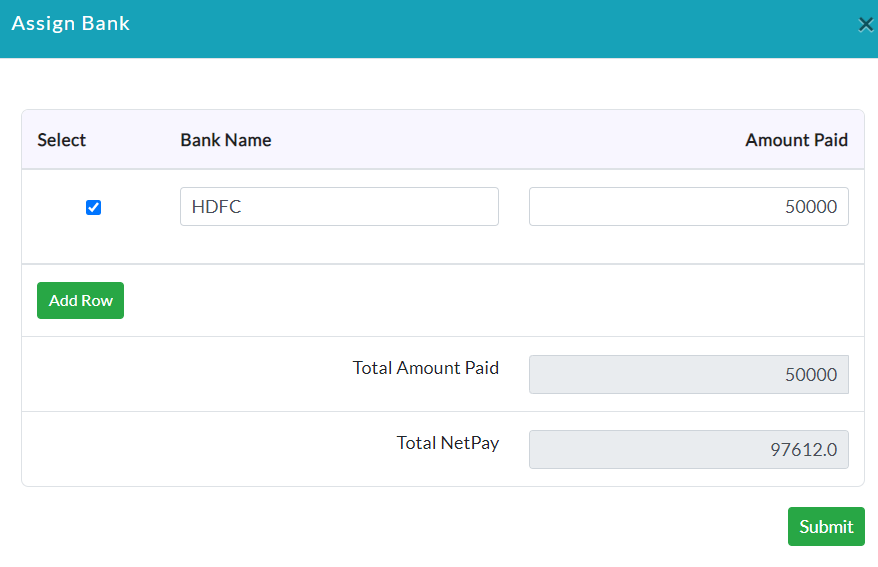
e. Lists of bank details are displayed.

f. Click Approve and Run. Click YES.
g. Status is converted into Approved.

Created with the Personal Edition of HelpNDoc: Single source CHM, PDF, DOC and HTML Help creation