Performance Review
Performance Review:
In the HRM menu, click Performance Review.
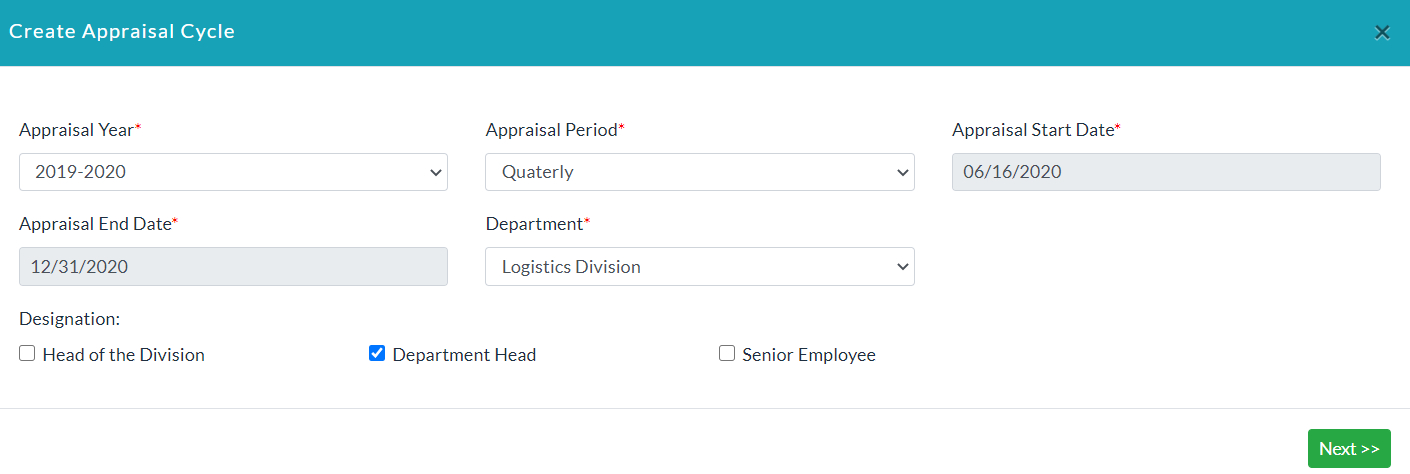
- Click Create Appraisal Cycle.
- Enter the required data.
- Click Next.
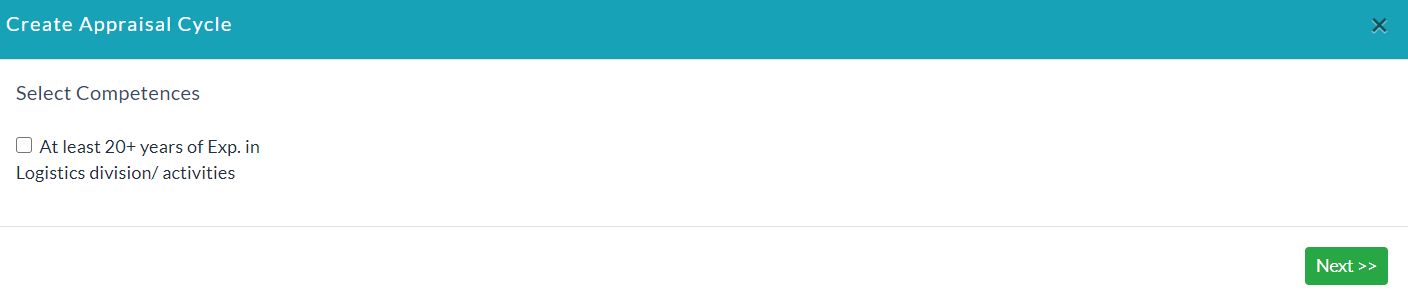
- Select Competences. If a list of competences does not exist, then go to HR settings in the HRM menu. Click Competences and Create Competences there.
- Click Next.
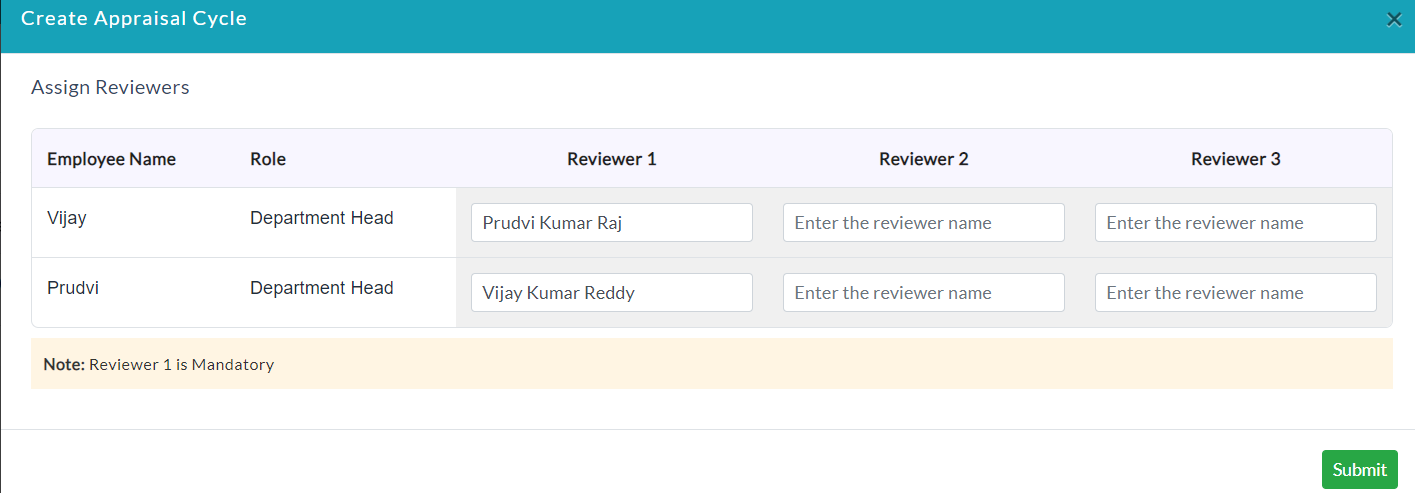
- Enter the name of the reviewer and click Submit.
- Lists of performance reviews are displayed.

- In the Action section, click View.
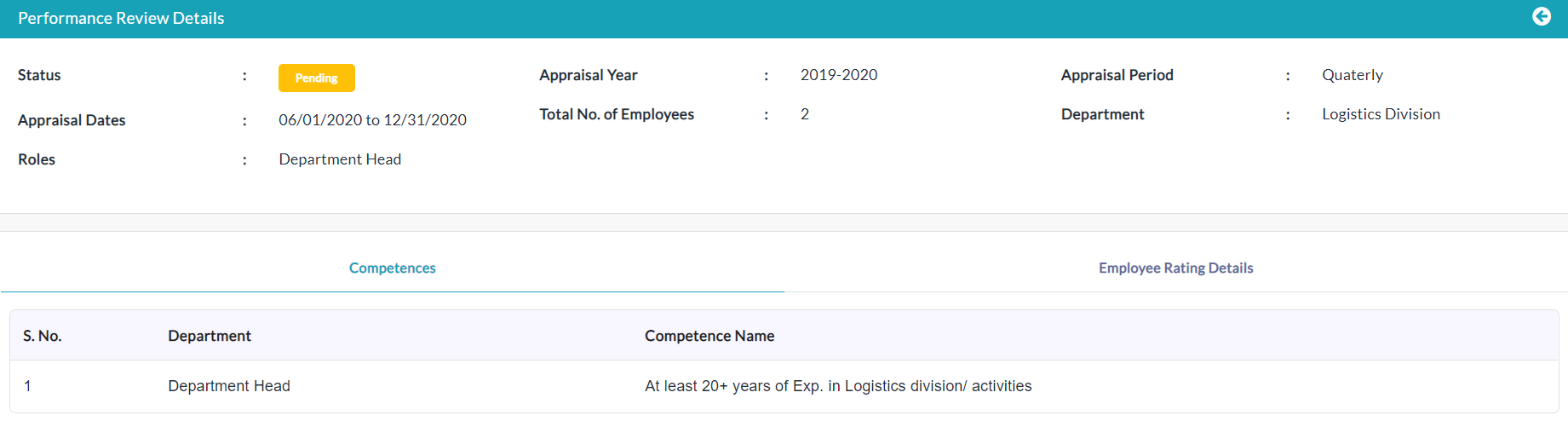
- In the Employee Rating Details tab, lists of employee performance reviews are displayed.

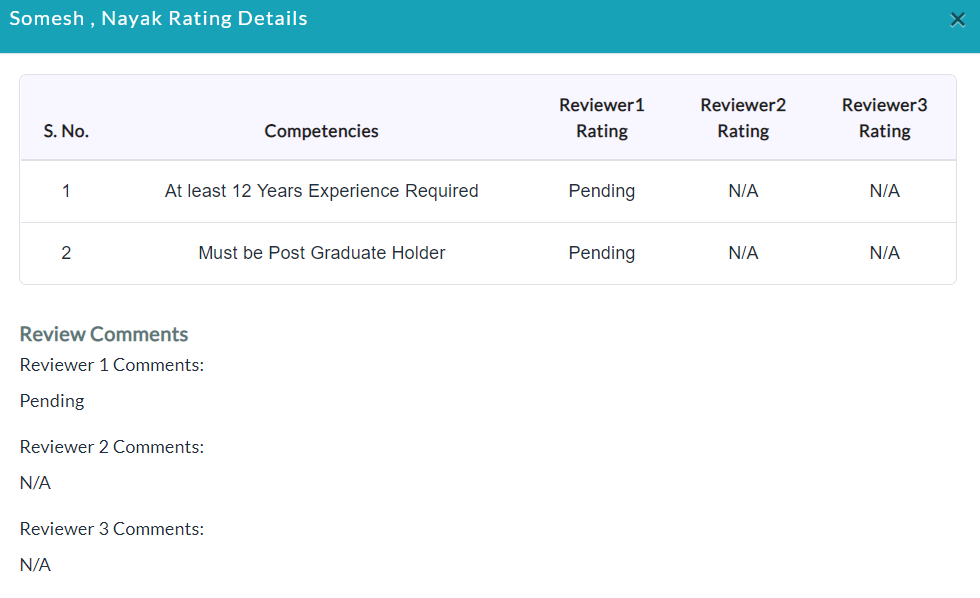
- In the Action section, click the View (Eye Icon) option to view the ratings from the reviewers.
Created with the Personal Edition of HelpNDoc: Easy EBook and documentation generator