Sales Proposals
Sales Proposals:
In the Sales Management menu, click Sales Proposals.
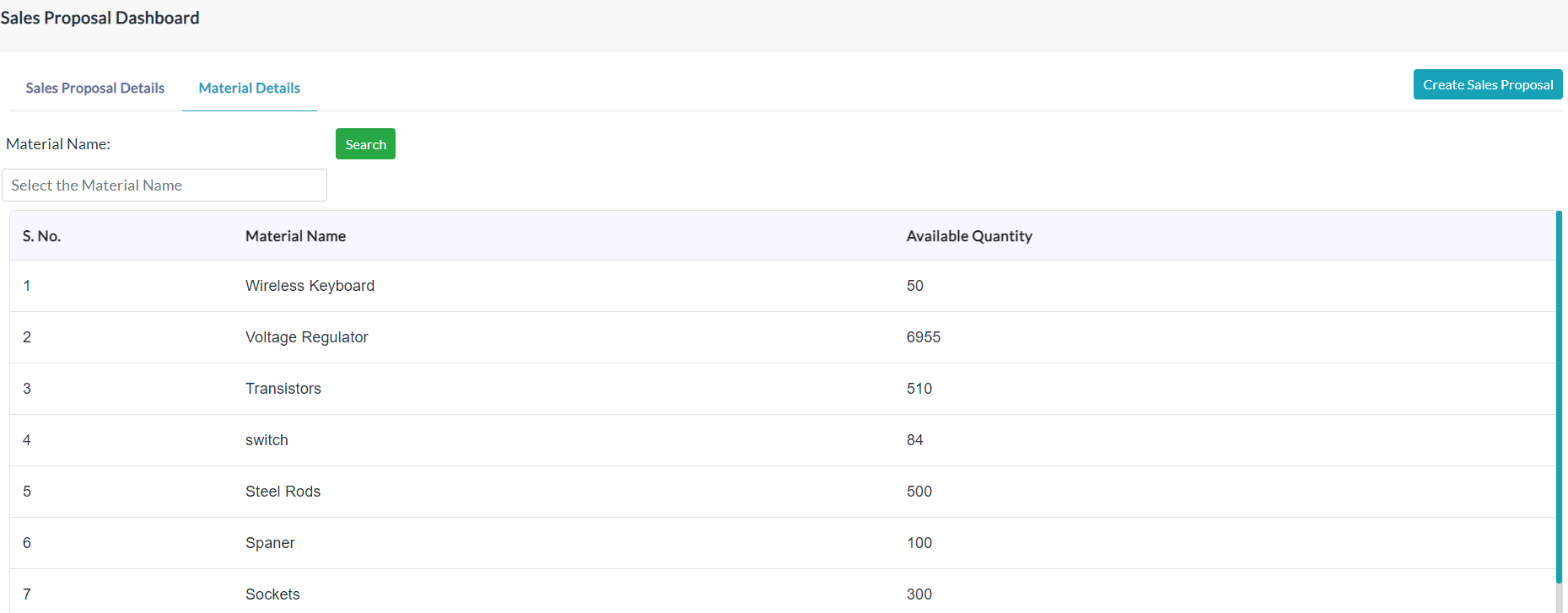
Material Details:
The lists of material details are displayed here if already exist. If a list of materials does not exist, then go to the Material Management menu, click Materials. Click on the Create Material and enter the details of the material.
Create Sales Proposal:
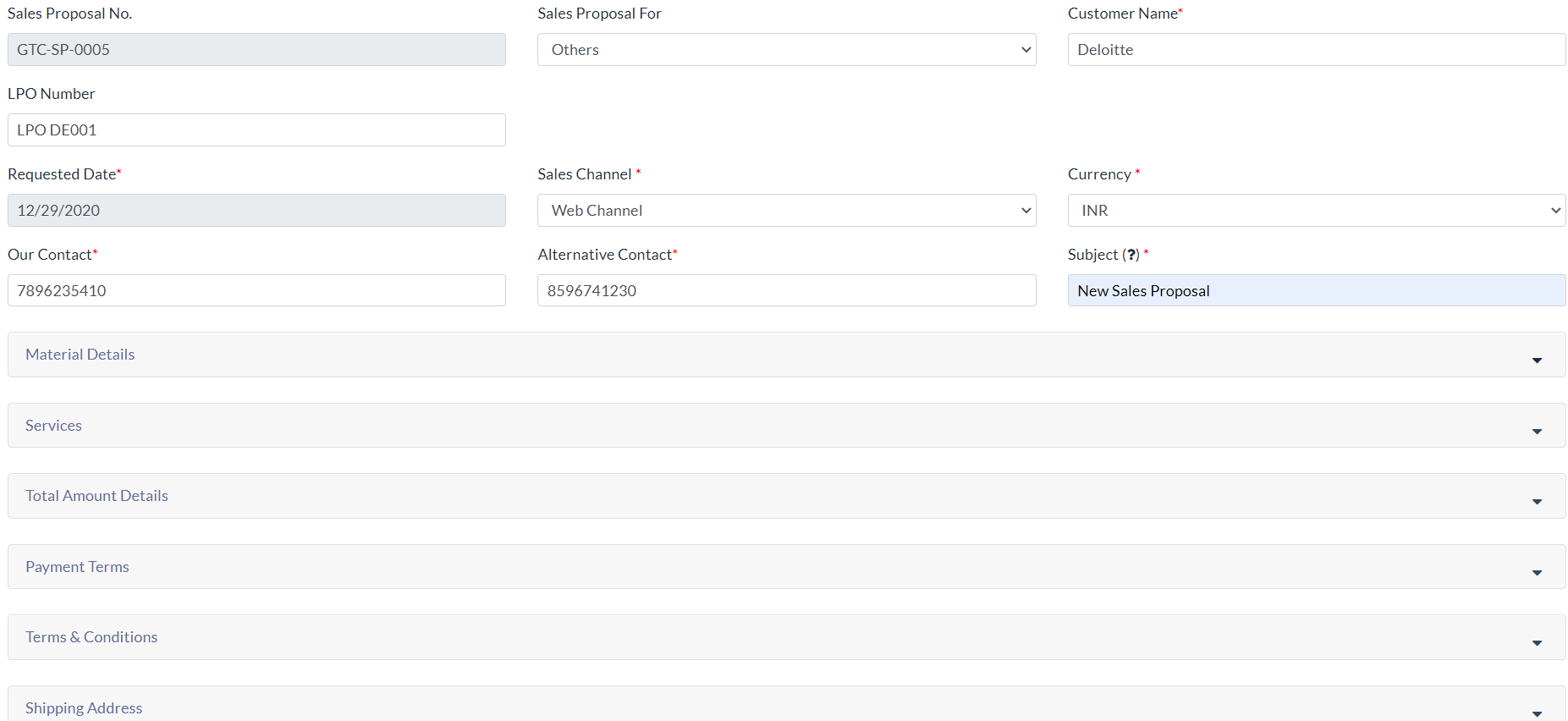
For adding sales proposal details follow the below steps.
- Click the Create Sales Proposal tab.
- Enter the details of the sales proposal.
- Click Submit.
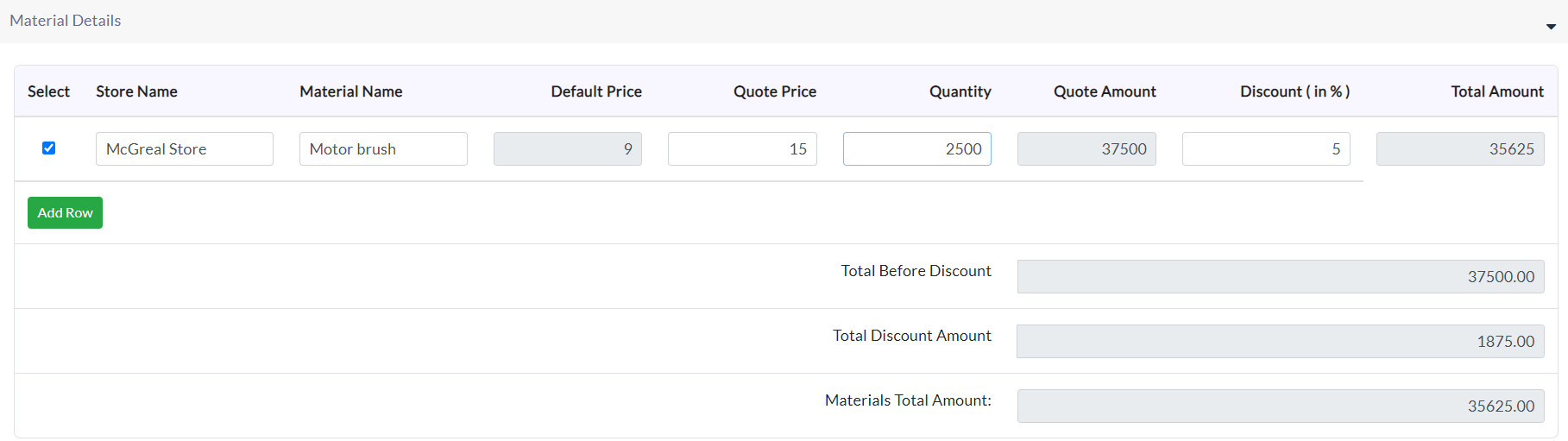
Material Details:
- Enter the details of the material and quantity of specific material.
- If you didn’t get the store name and material name, then go to the Material Management menu and click Stores then create stores there. And click Materials, create materials there.
Services: Enter details of services in this section.

The Total amount of details:
View the total amount of details of material and service.

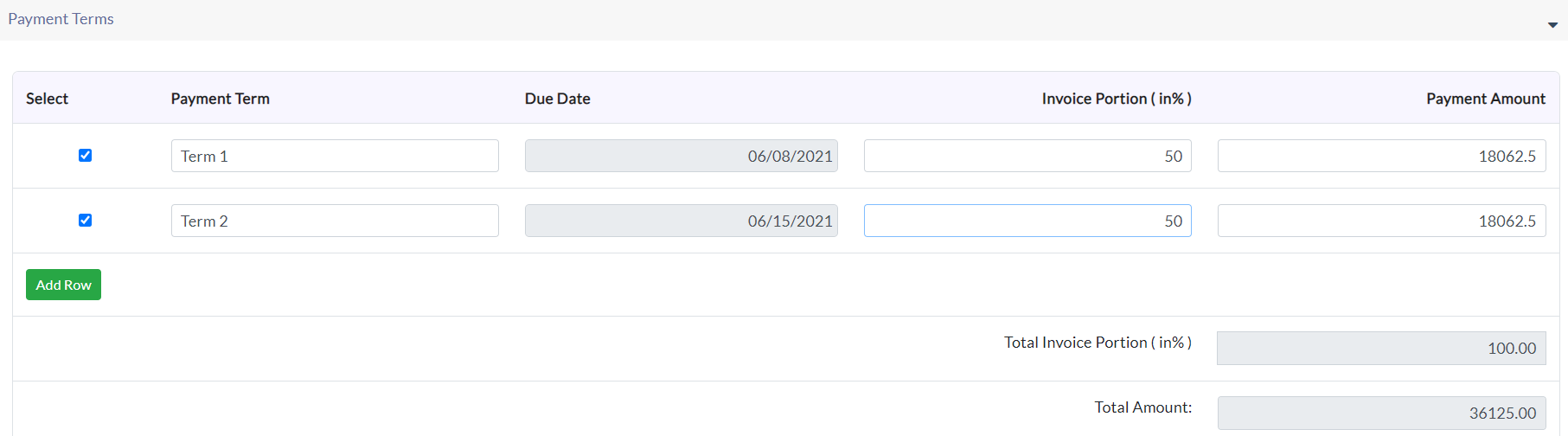
Payment Terms:
Enter details of the payment’s term, due date, invoice portion in percentage. Click Add Row for adding extra rows to the payment terms.
Terms and conditions:
Click the checkbox to apply terms and conditions for specific sales proposals.

If the list of terms & conditions does not exist then click on Add Terms and Conditions button. Enter relevant data and click Submit.
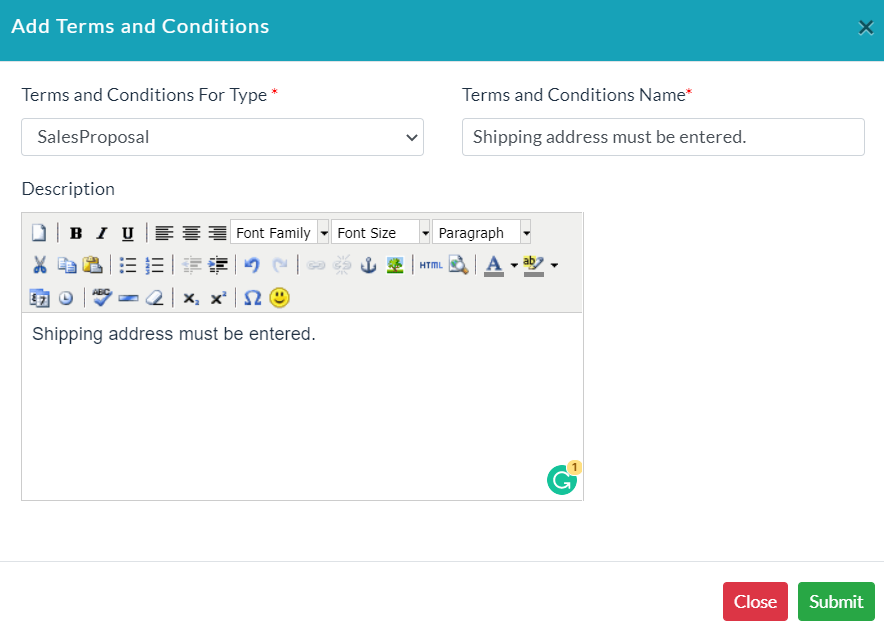
Shipping Address: Enter details of the shipping address.

Sales Proposals List:
The list of existing sales proposal details is displayed in the Sales Proposal Details section.
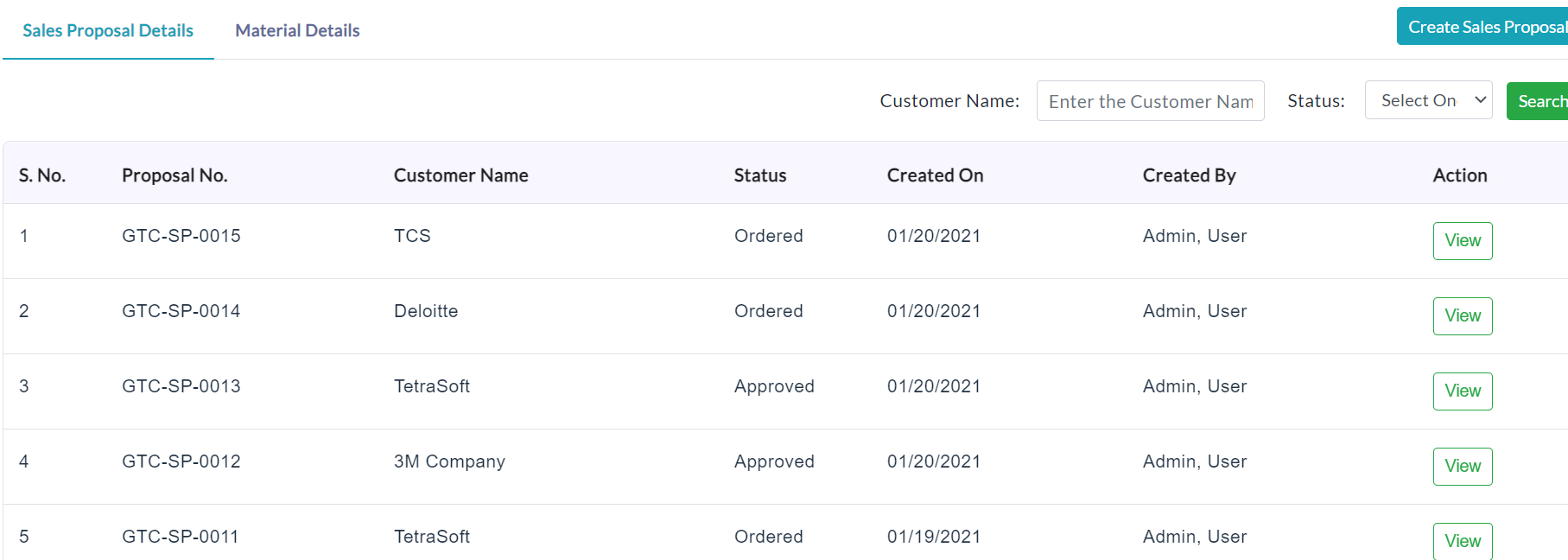
View Sale Proposal Details:
For anyone of the sales proposal details in the list, click View in the column of Action and able to view complete sales proposal details.
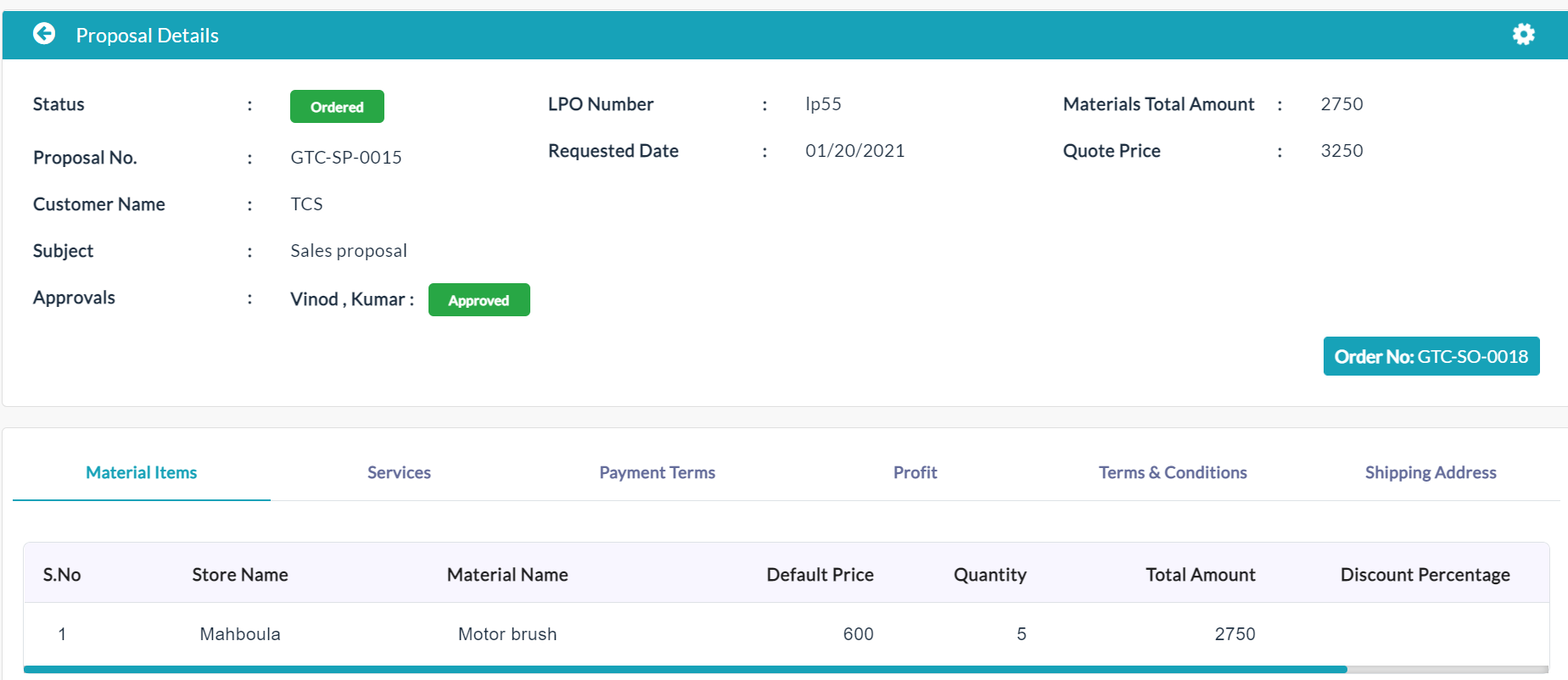
Edit Sales Proposal Details:
For editing sales proposal details follow the below steps.
- Click the Edit(Pencil Icon) option to edit or update sales proposal details. If you want Revision History (i.e., to capture edited information), click on check-boxes Yes. Otherwise No.
- Click Submit.
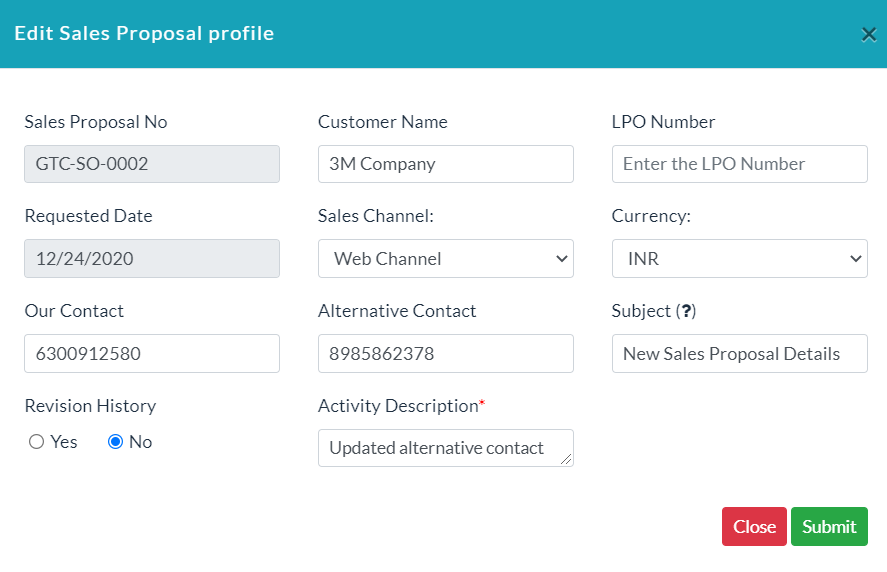
- Click the View(Gear Icon) option to view details of revision history, and activity log.
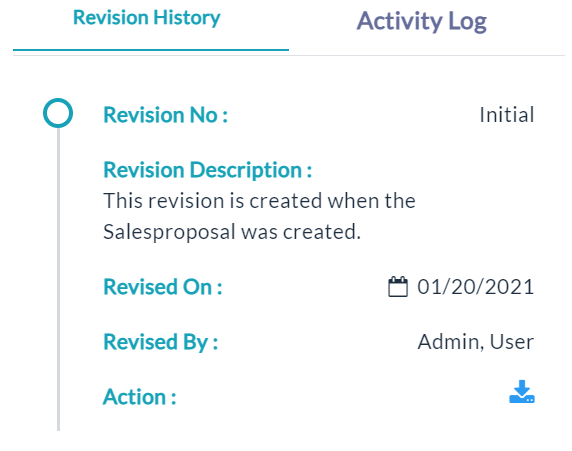
Revision History
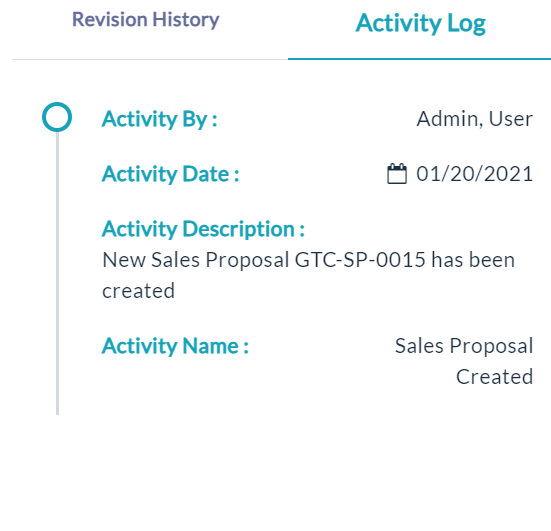
Activity log
Created with the Personal Edition of HelpNDoc: Easily create EPub books