Sales Invoice
Sales Invoice:
Sales Invoice Creation:
- Click Create an Invoice.
- While creating the invoice, you need to select the sales order number which has been already generated in the Sales Management module.
- After selecting the required sales order number, the list gets auto-completed with details present in that particular sales order.
- You can now adjust the invoice amount as per the requirement and also adjust the quantity of the materials, services pertaining to that sales order in the invoice.
- After giving appropriate details, click Submit.
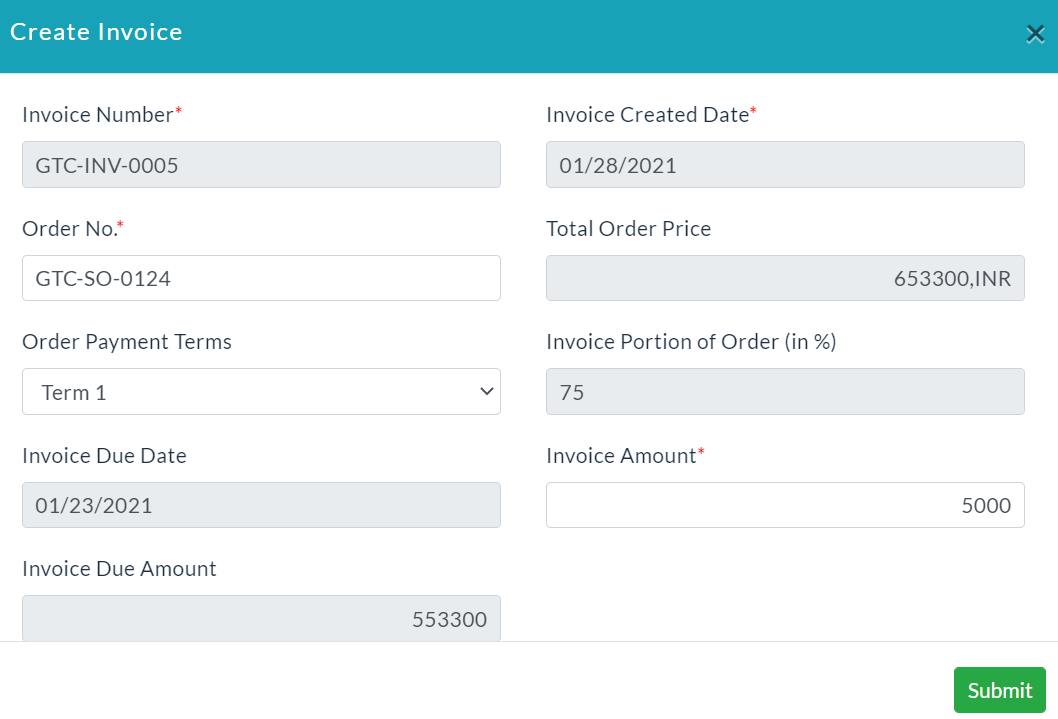
Sales Invoice Details:
It displays the list of sales invoices created with the given sales details.
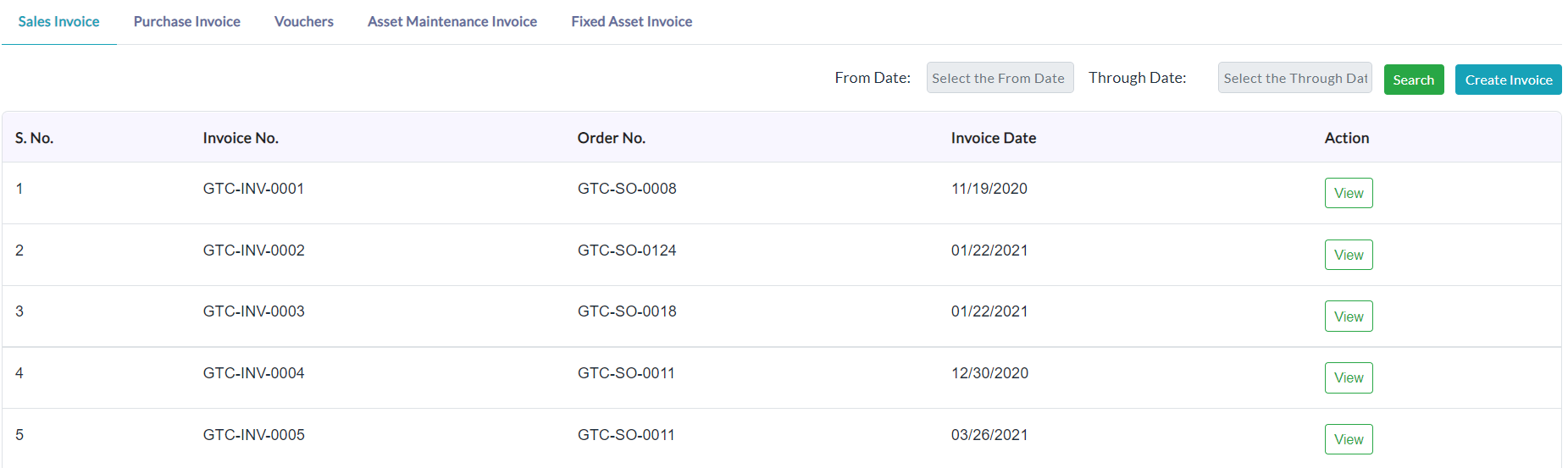
On clicking a particular sales invoice View button, the complete details of that sales invoice will be displayed as shown in the below screenshot.
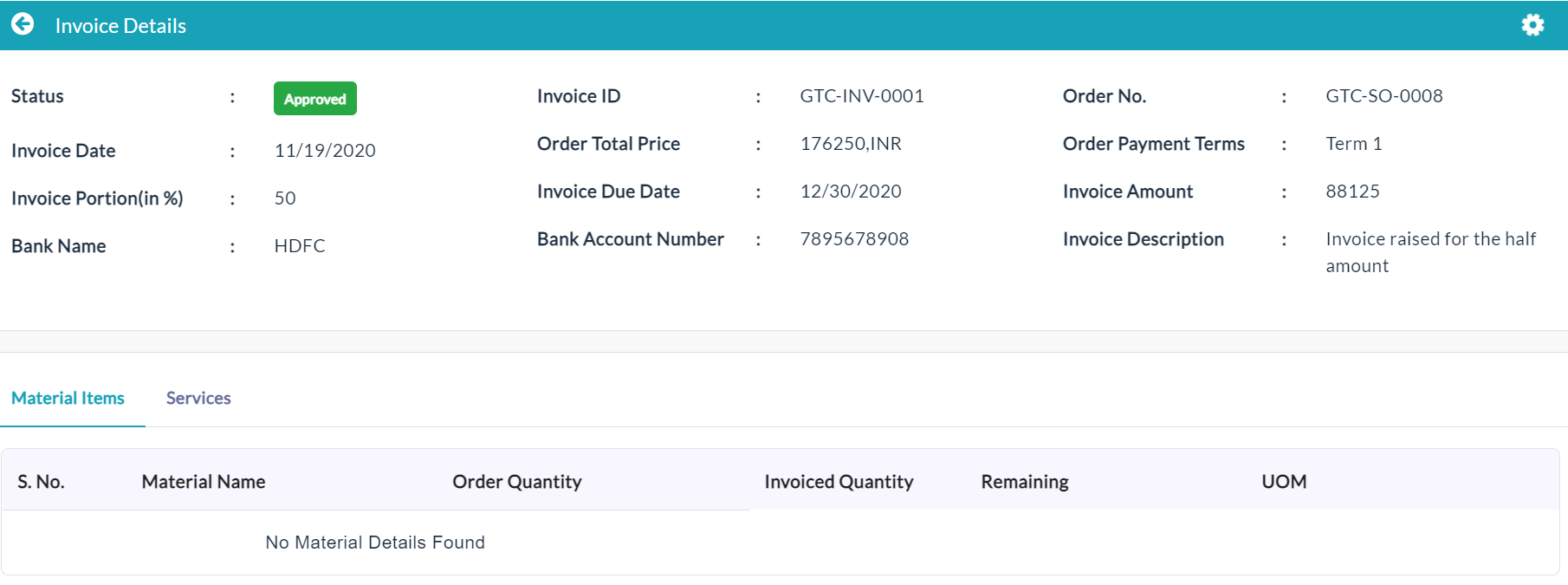
Material Items:
On clicking the Material Items tab, the complete details of the Invoices related material items will be displayed as shown in the below screenshot.

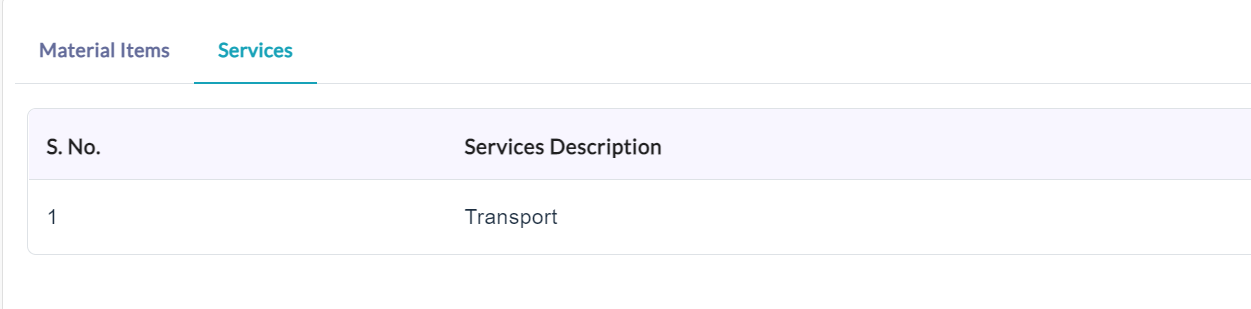
Services:
On clicking the Services tab, the complete details of the Invoices related services will be displayed as shown in the below screenshot.
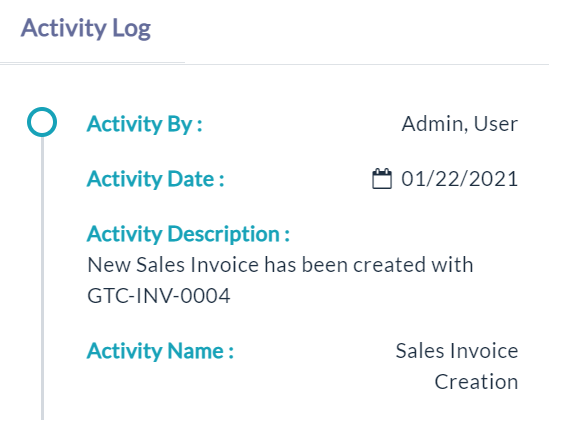
Activity Log:
- Click the View(Gear Icon) option to view details of activity log.
Created with the Personal Edition of HelpNDoc: Full-featured Documentation generator