Project Creation
Project Creation :
Add a Project:
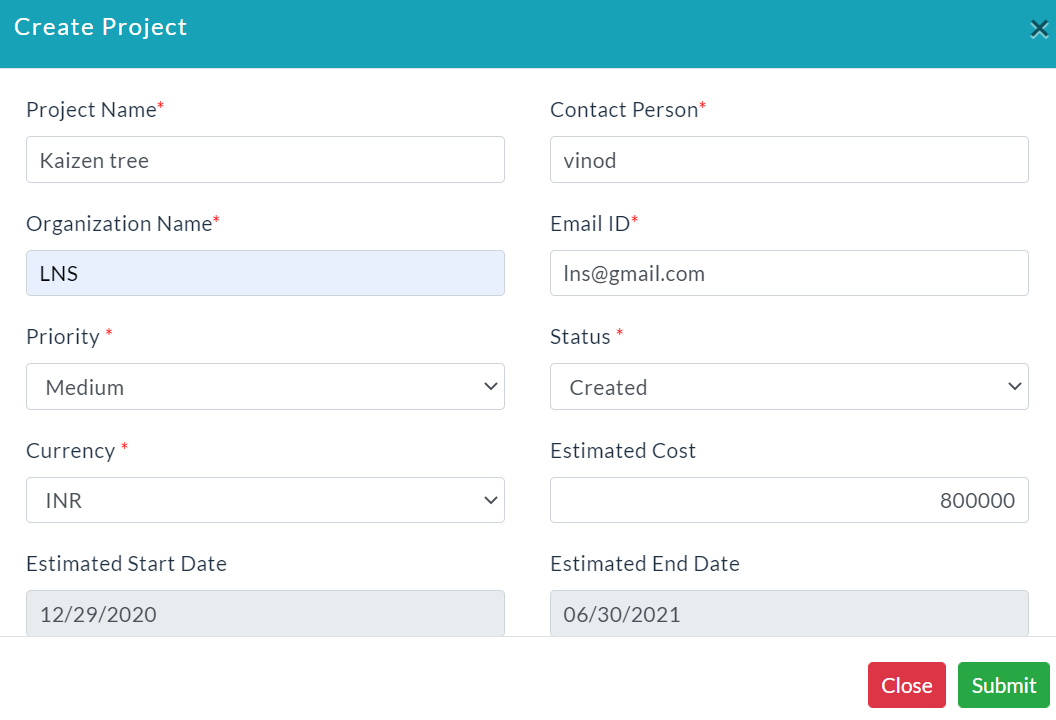
- In the Project Management menu, click on the Create Project button.
- Enter the details of your project.
- Click Submit.
Project Details:
A list of project details is displayed with specific columns.

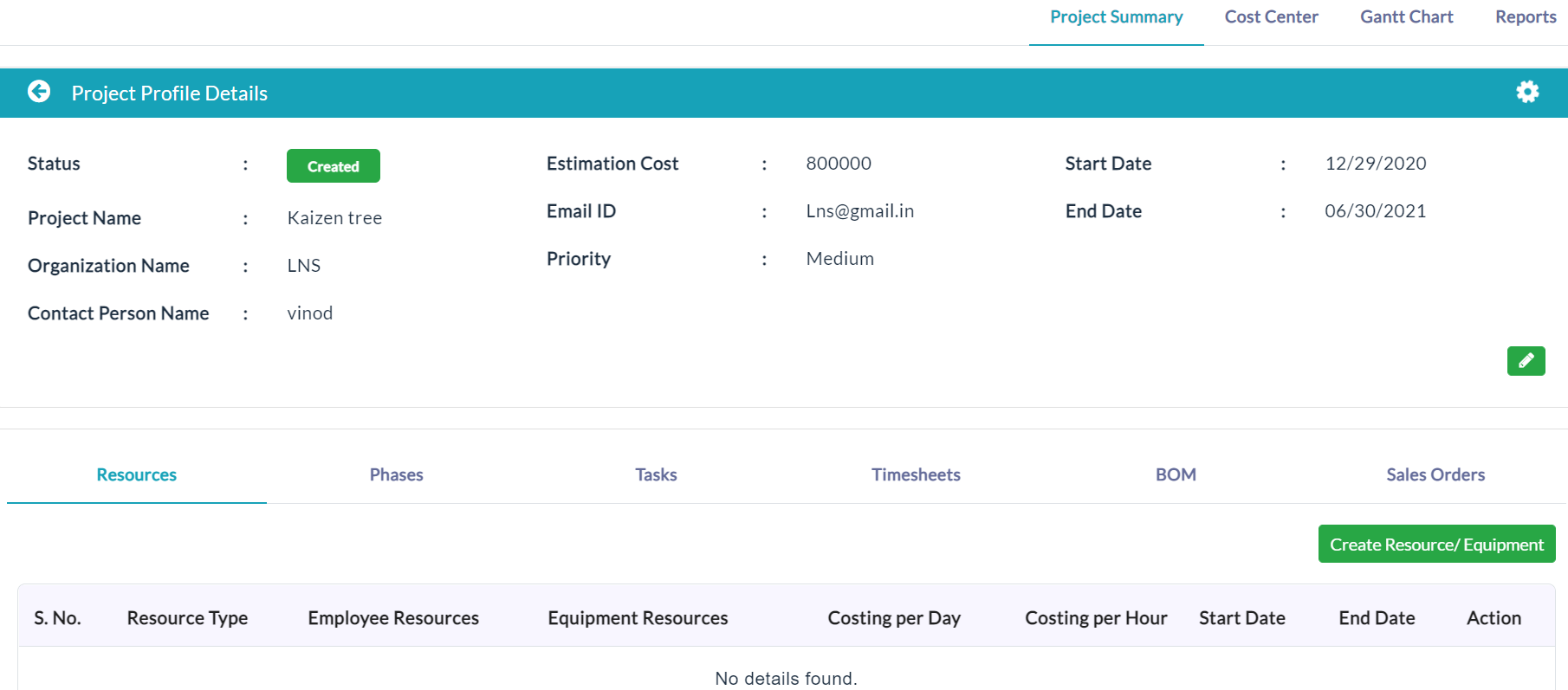
On clicking a specific project name, the complete details of that project will be displayed as shown in the below screenshot.
The project profile details consists of four(4) tabs. They are:
Edit Project Details:
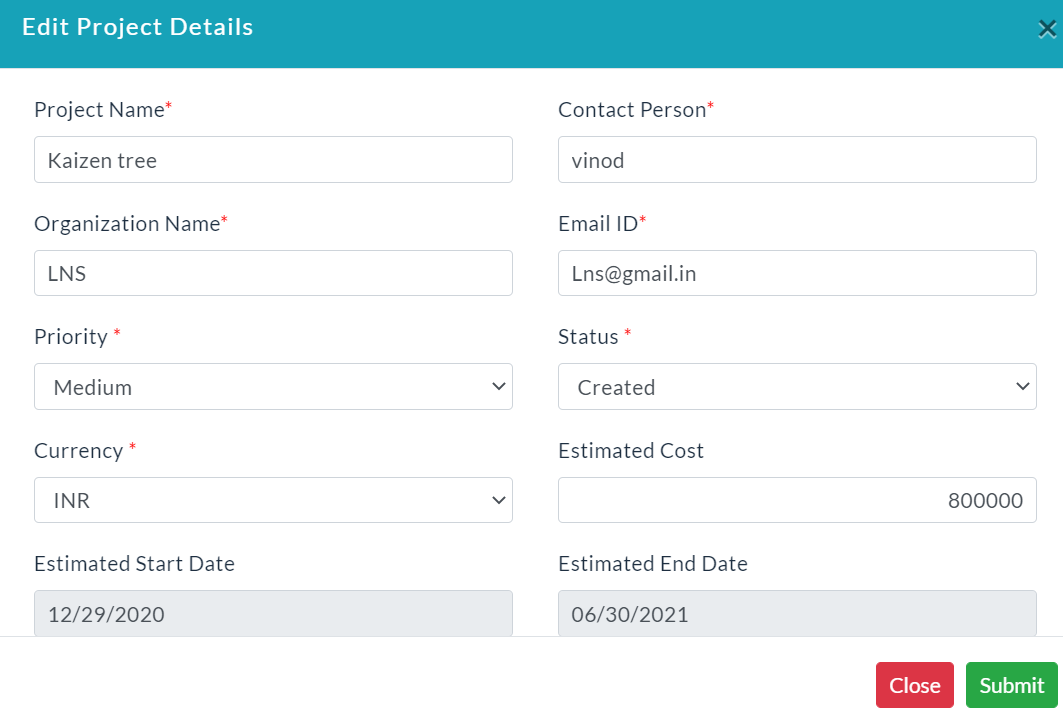
- Click the Edit button for editing details of a project.
- Edit project details form will be displayed.
- Make your changes, then click Submit.
Activity Log:
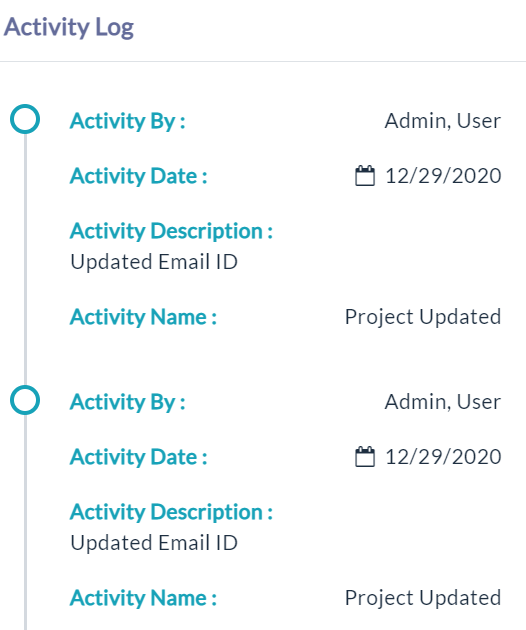
- Click the View(Gear Icon) option to view details of activity log.
Created with the Personal Edition of HelpNDoc: Easily create HTML Help documents