Bank Accounts
Bank Accounts:
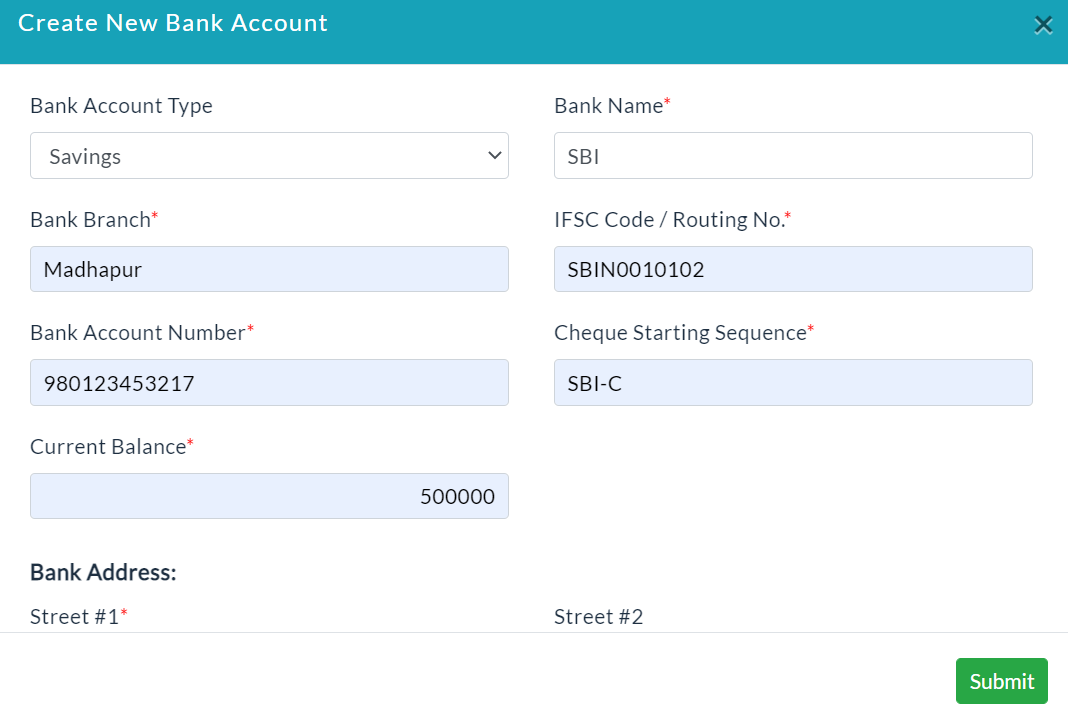
Create a New Bank Account:
- Click the Create a New Bank Account button.
- A new bank account form will be displayed.
- Enter the required data.
- Click Submit.
It displays the list of created bank accounts details.

On clicking a particular bank account View button, the complete details of that bank account will be displayed.
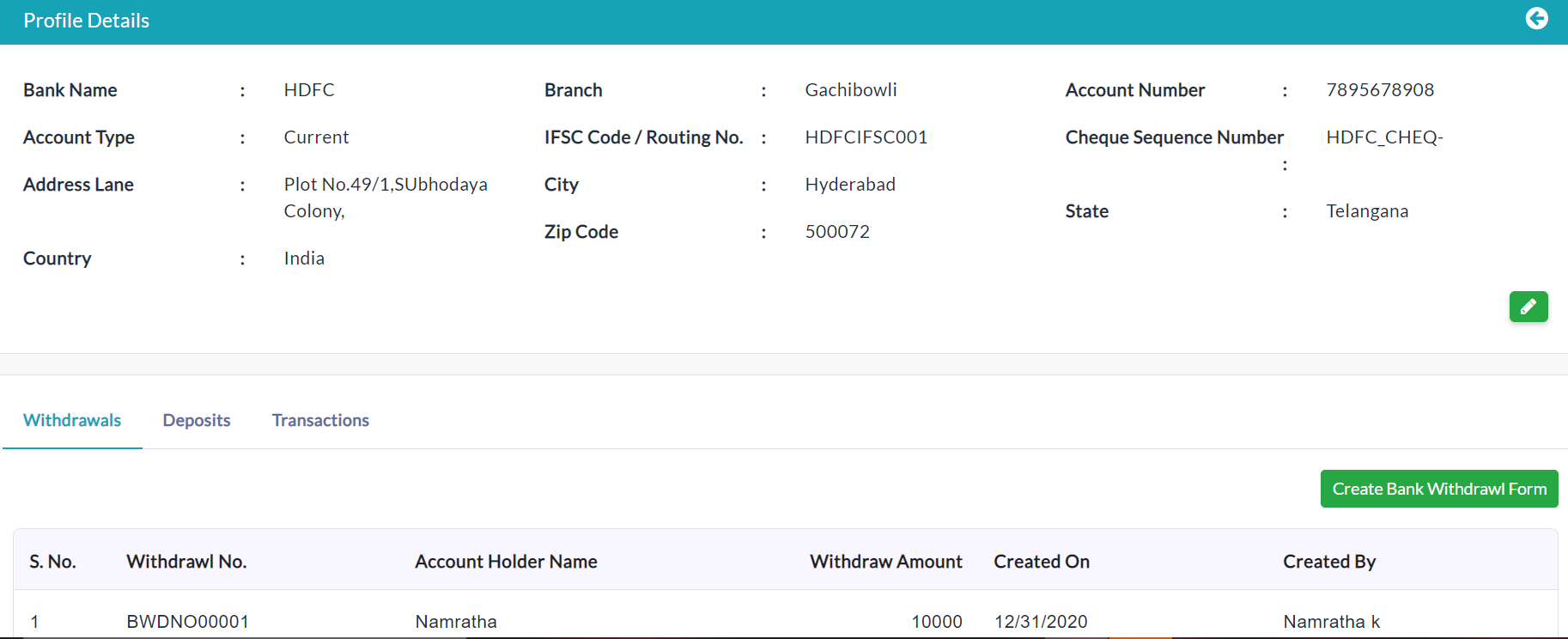
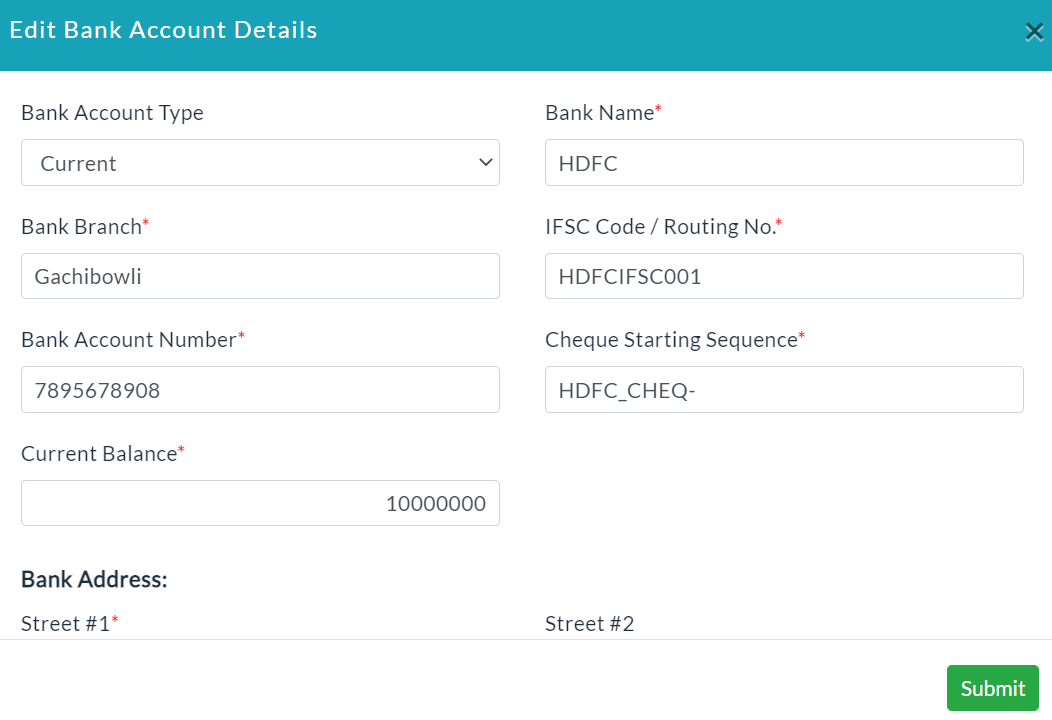
Edit Bank Account Details:
- Click the Edit(Pencil Icon) option for editing the details of individual Bank Account.
- Make your changes, then click Submit.
Withdrawals:
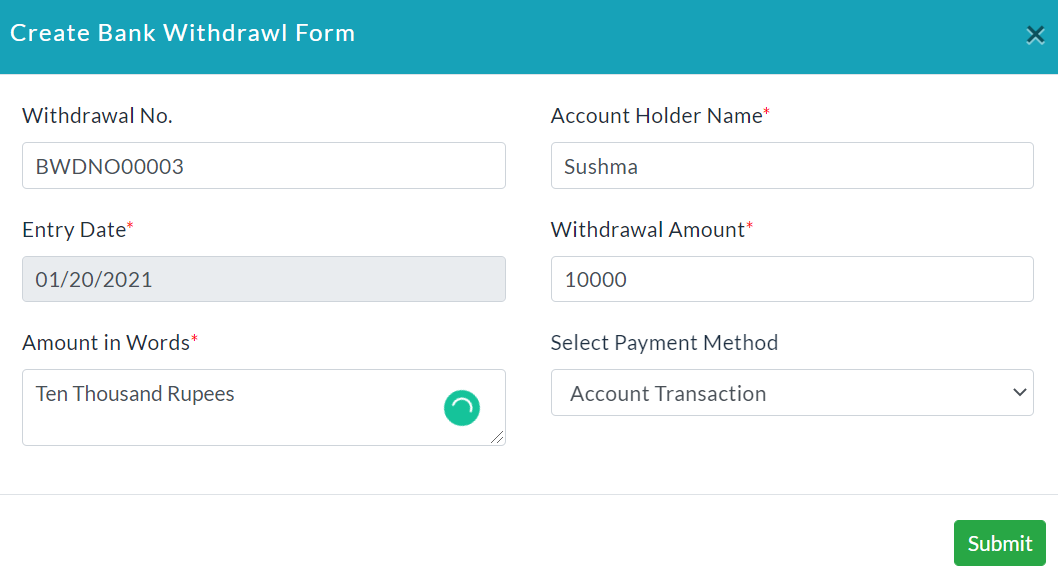
Create a New Bank Withdrawal Form:
- Click the Create a Bank Withdrawal Form button.
- A new bank withdrawal form will be displayed.
- Enter the required data.
- Click Submit.
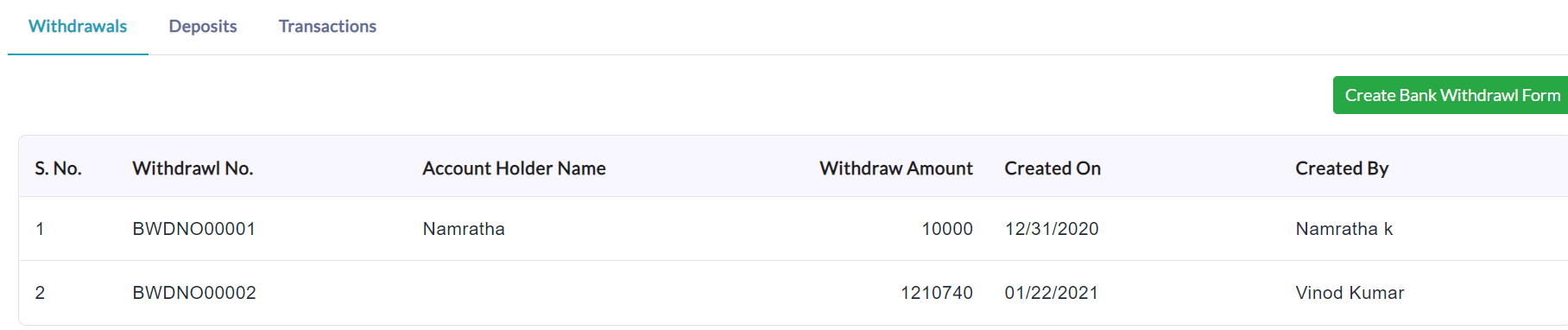
On clicking the withdrawals tab, the complete details of the specific withdrawal of the bank accounts will be displayed.
Deposits:
New Bank Deposit Form Creation :
- Click the Create Bank Deposit Form button.
- A new bank deposit form will be displayed.
- Enter the required data.
- Click Submit.
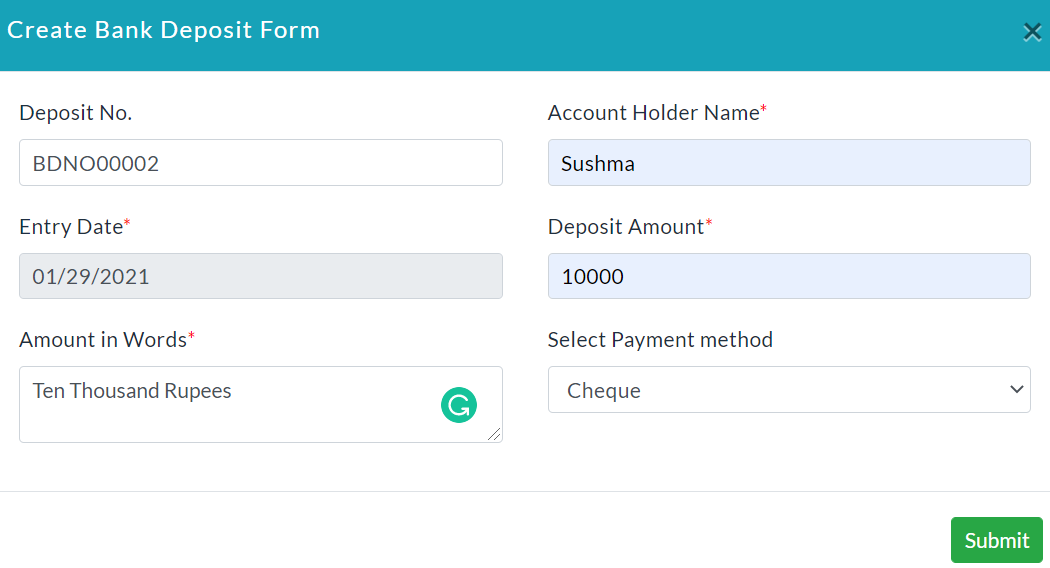
On clicking the deposits tab, the complete details of the deposits of the bank accounts will be displayed.

Transactions:
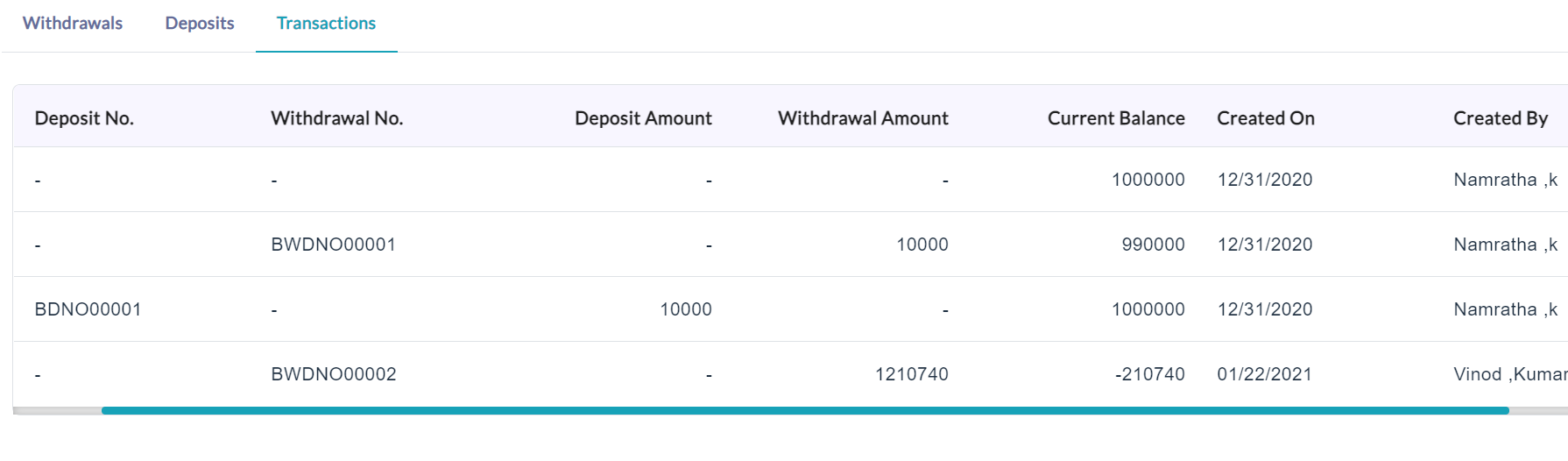
On clicking the transactions tab, the complete details of that transactions will be displayed as shown in the screenshot.
It shows the summary of the withdraws and deposits made along with the current bank balance.
Created with the Personal Edition of HelpNDoc: Easy EPub and documentation editor