Training Details
Training Details:
In the HRM menu, click Training Details.
Add Training Details:
- Click Create Training.
- Enter details of training.
- Click Add Row for adding participants.
- Click Submit.
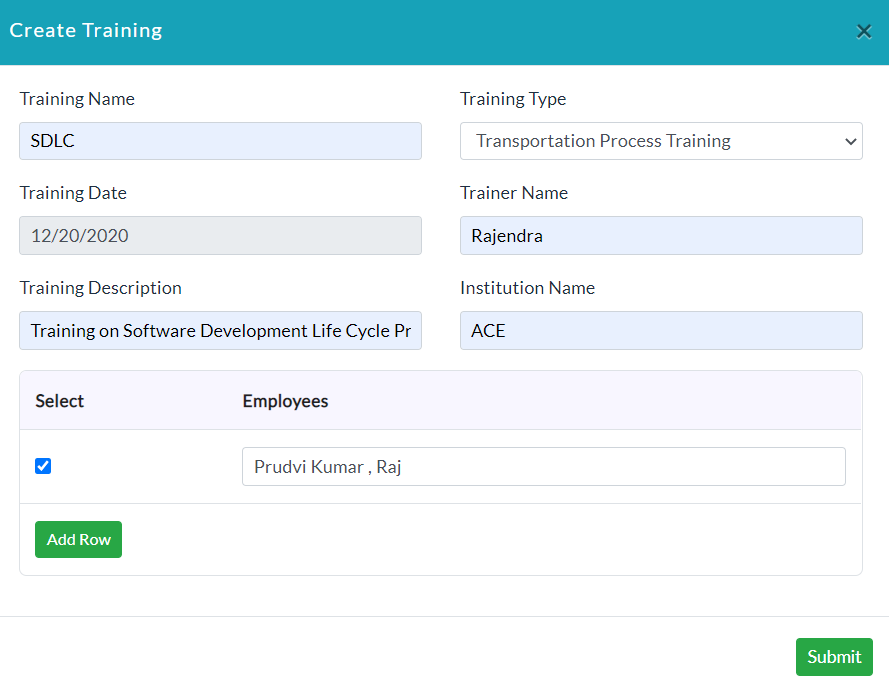
- Lists of training details are displayed.

View Training Details: In the Action section, click View.
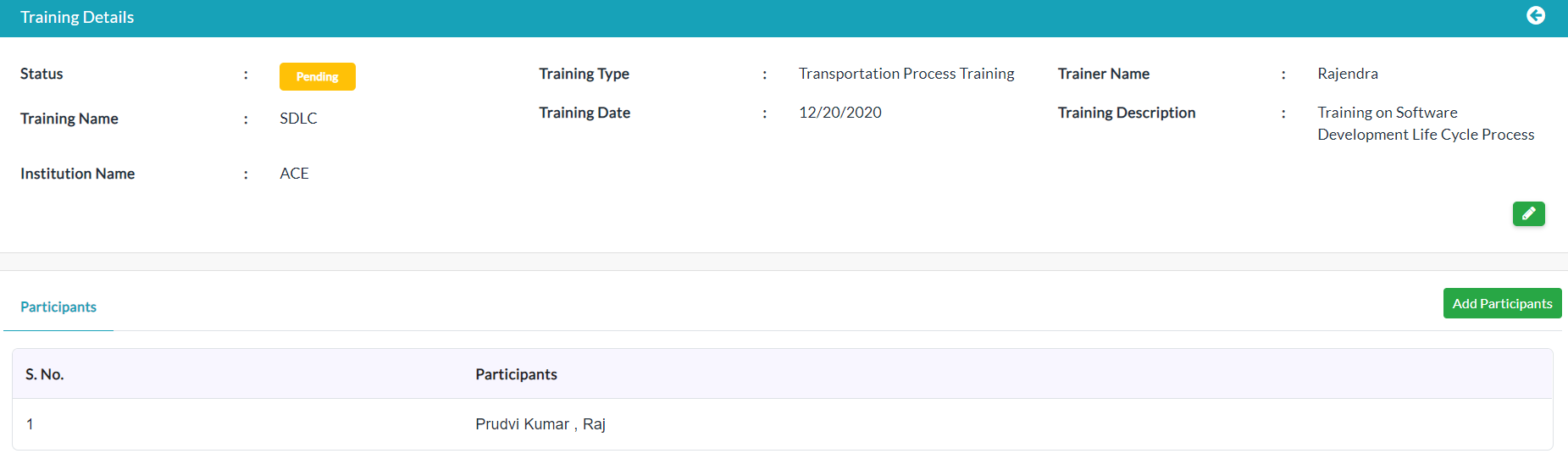
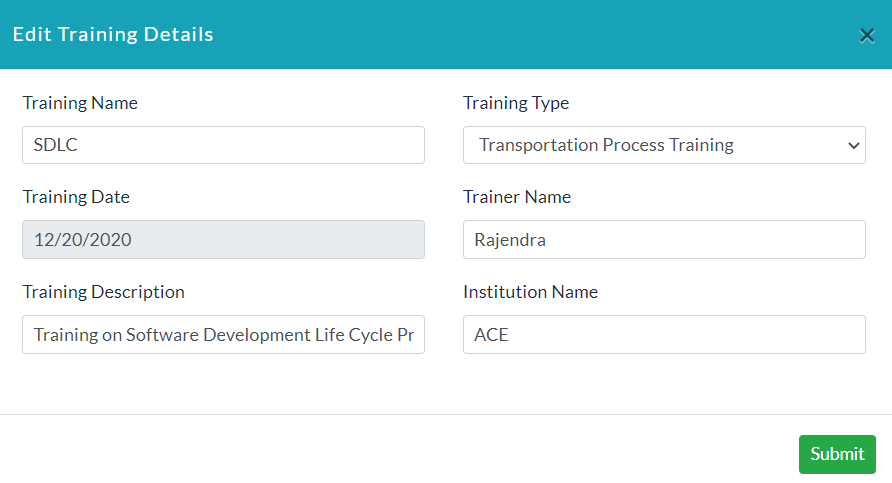
Edit Training Details:
- Click the Edit (Pencil Icon) option to edit the details of the training.
- If you want to change the status of training into Completed, click on the Pending section.
- Popup is displayed. Click Yes.

- If you want to add employees, click Add Employee.
- If you want to add multiple employees who have participated in specific training, then click Add Row.
Created with the Personal Edition of HelpNDoc: Create iPhone web-based documentation