Maintenance
Maintenance:
Maintenance Details:
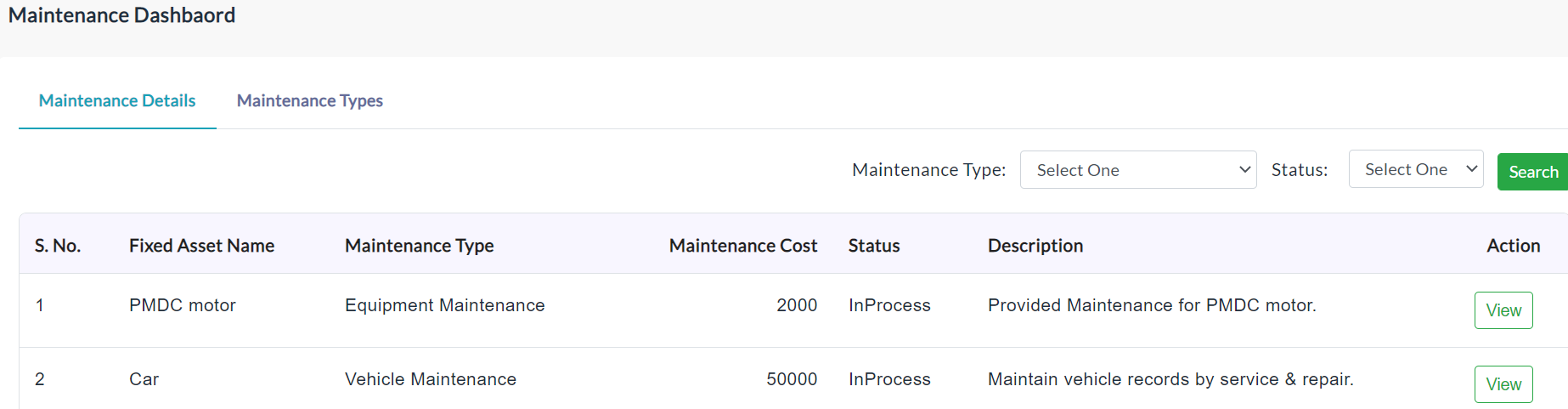
On clicking the Maintenance Details tab, it displays list of maintenance details of all the assets.
View Maintenance Details:
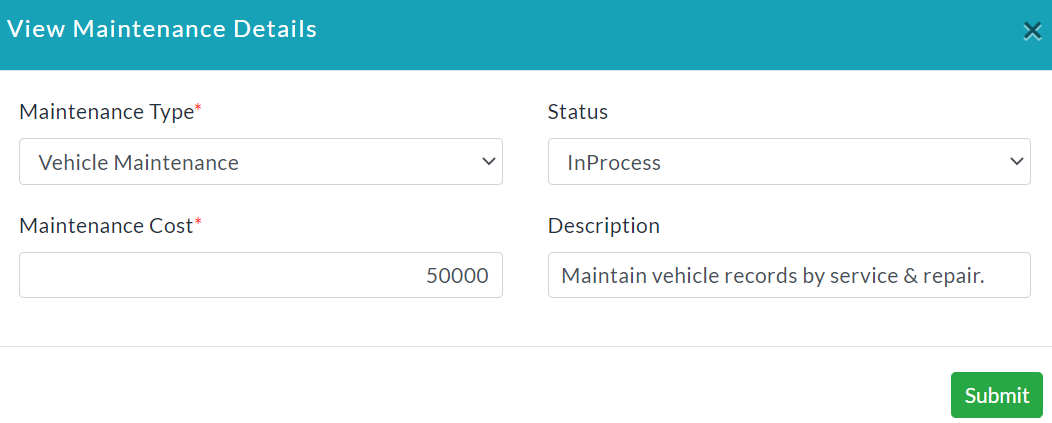
For anyone of the maintenance details in the list, click View in the column of Action and able to view complete maintenance details.
Maintenance Types:
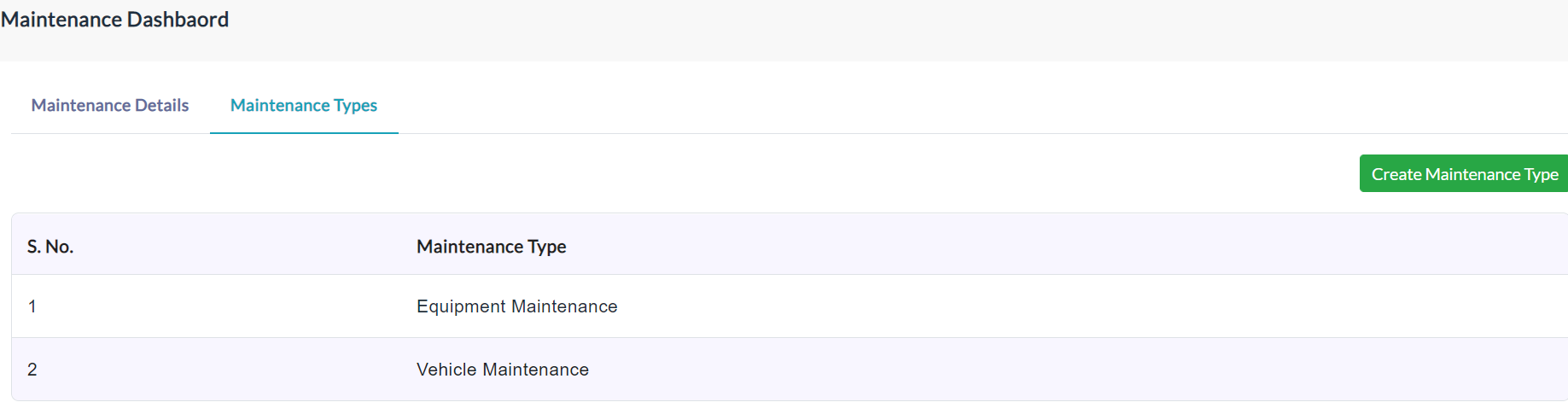
On clicking the Maintenance Types tab, it displays the list of the maintenance type details as shown in the below screenshot.
Create Maintenance Type:
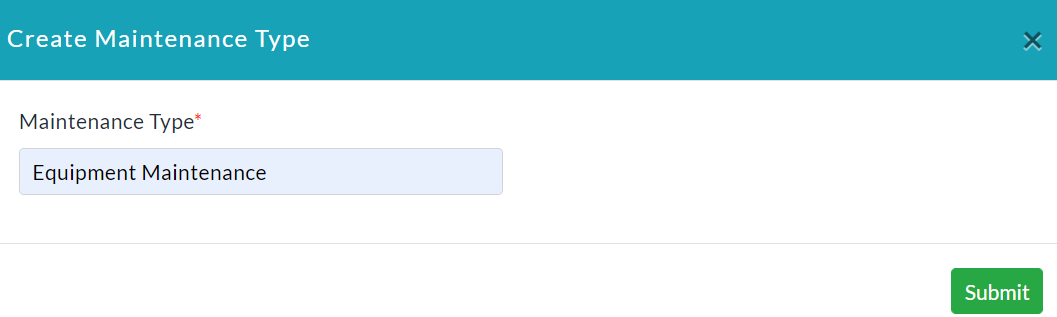
To add maintenance type follow below steps.
- Click the Create Maintenance Type.
- Create Maintenance Type form will be displayed.
- Enter the maintenance type.
- Click Submit.
Created with the Personal Edition of HelpNDoc: Create HTML Help, DOC, PDF and print manuals from 1 single source